Suggest a Feature

October 01, 2024October 01, 2024

The Bottle POS is always growing, and we love to hear amazing ideas from clients like you! Take a look at how you can get us your ideas and we can work together to make the system better.
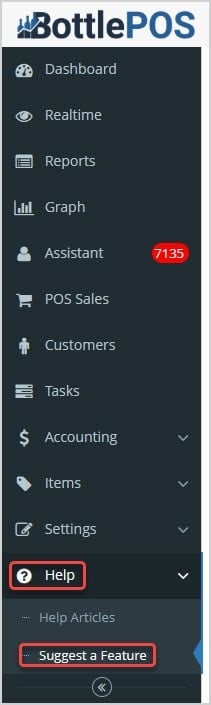
 Image showing the link for the Suggest a Feature area of the Bottle POS Admin app's main help menu.

You can get to this part of the system by logging into the Admin app and clicking Help on the left. In the menu that opens, click on Suggest a Feature.


How to Submit an Enhancement Request

Once you've opened the Suggest a Feature page, follow these steps to give us your suggestion:
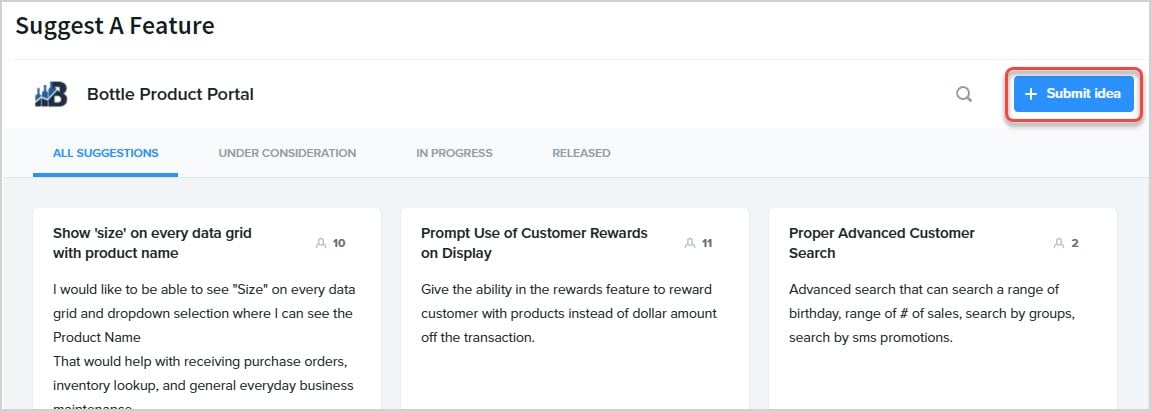
Image showing the Suggest a Feature page of the Bottle POS Admin with the Submit Idea button highlighted.

  1. Click the +Submit Idea button in the upper right.
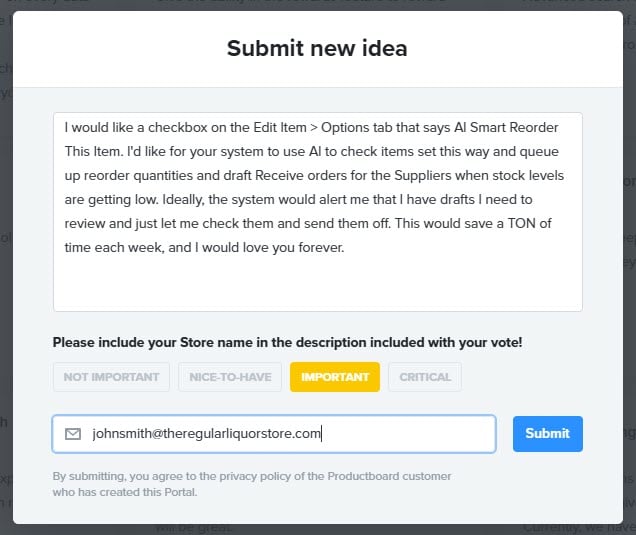
  2. In the Submit New Idea window, enter a full description of what you are wanting. Be as detailed as possible so our developers will be able to understand what you mean.
    Image showing the Submit New Idea window of the Bottle POS Admin.

  3. Click to rate the importance of the idea, either Not Important, Nice to Have, Important, or Critical (we consider ideas of ALL importance levels!).
  4. Enter the email address for your store and click Submit.
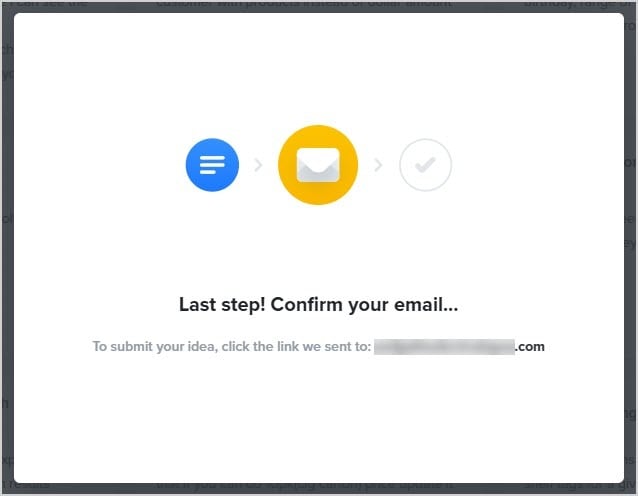
    Image showing the email confirmation window for feature suggestion in the BottlePOS system.

  5. You'll be sent a confirmation email. Open it and click to confirm your email address.
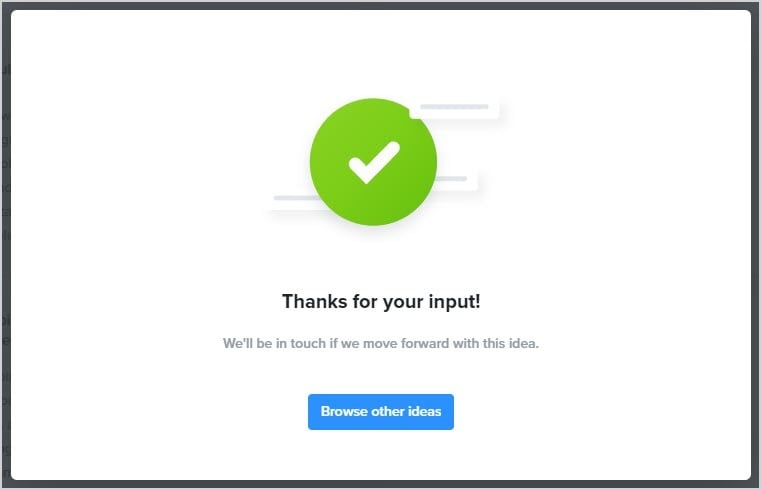
    Image showing the thank-you message window for feature suggestion in the BottlePOS system.

  6. After you're confirmed, our team will review your idea. Ideas that get the most feedback from stores are considered for development first, but we also look for great ideas that resonate with our Product team as something that will level up our software!


Vote on Feature Requests

There are many requests already saved in our system that likely match functionality you are looking for. On the main Suggest a Feature page, you can click on any idea you like to view it, or use the search to get to the topics you're looking for. Once you find one you like, click on it to add your vote! Ideas with the most votes draw the attention of our Product and Development teams, so vote for what you need!

Here is how you can vote:
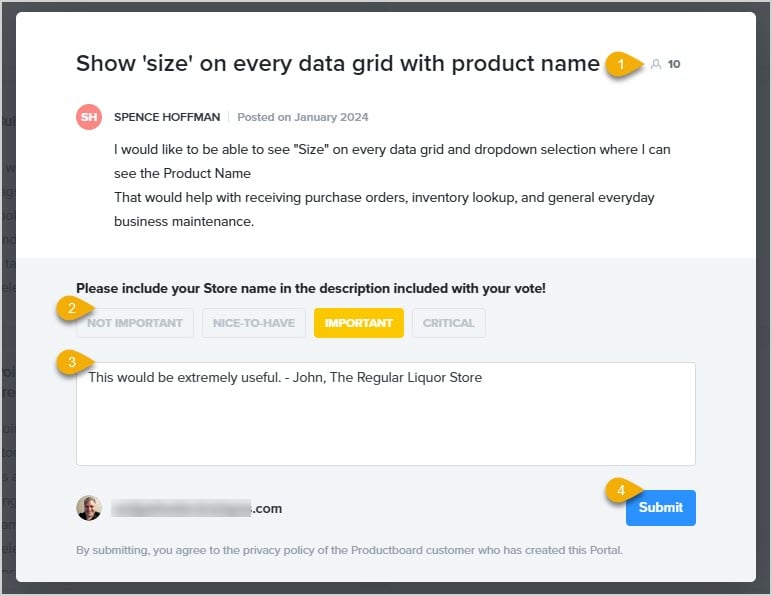
Image showing the feature suggestion window in the BottlePOS system with key functions highlighted.

  1. Number of Votes - You can see how many votes the idea has so far in the upper right.
  2. Add Your Vote! - Click the button for the level of importance you feel applies to the idea. We consider ideas at ALL levels of importance!
  3. Why Do You Want It? - Once you set an importance level, you'll be able to add a reason why the idea is something that will be valuable to you for what you do. Please add your name and store name for our reference.
  4. Send It! - Click the Submit button to send in your vote!


Related Topics

Submit a Bug Report


Frequently Asked Questions

Q: How many feature requests can I send in? How many can I vote on?

A: You can send us as many ideas as you need! You are also not limited on how many you vote for.


Q: I have a question, but I can't find my answer here, how do I get more assistance?

A: You can ask any question at the number below. Contact our 24/7 support team at: (877) 381-4087