






Manage Items Page
You can work with your Items in powerful and flexible ways using the main Items page in your Bottle

 October 01, 2024
You are able to easily duplicate any item in your inventory using the Clone function. Just a few clicks and you'll have a new item!
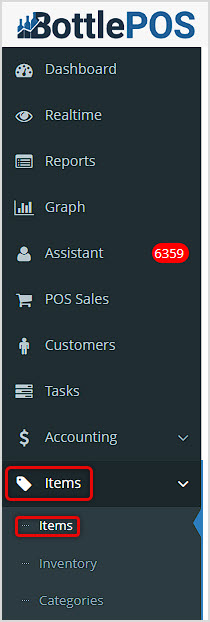
You can get to this part of the system by logging into your Admin app and clicking Items on the left. At the top of the menu that opens, click on Items.
After you've loaded your main Items page, use the Search or Advanced Search to find the item you want. You can clone one item at a time.
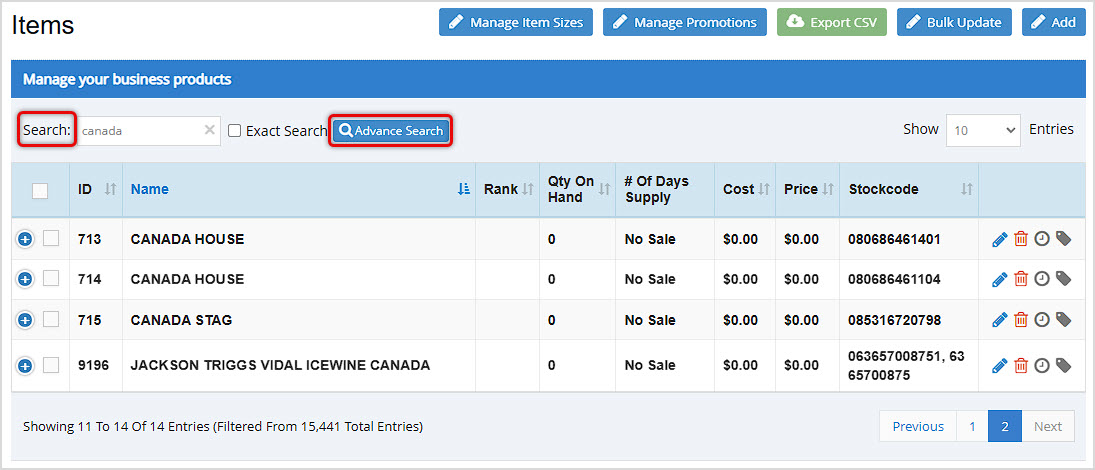
Check the box on the left for the item you want and you'll see controls appear below the data table, as pictured here.
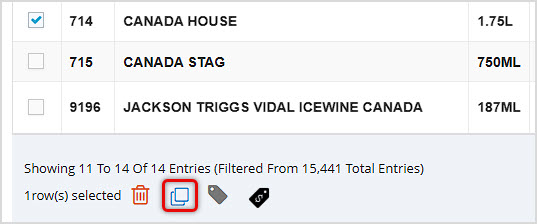
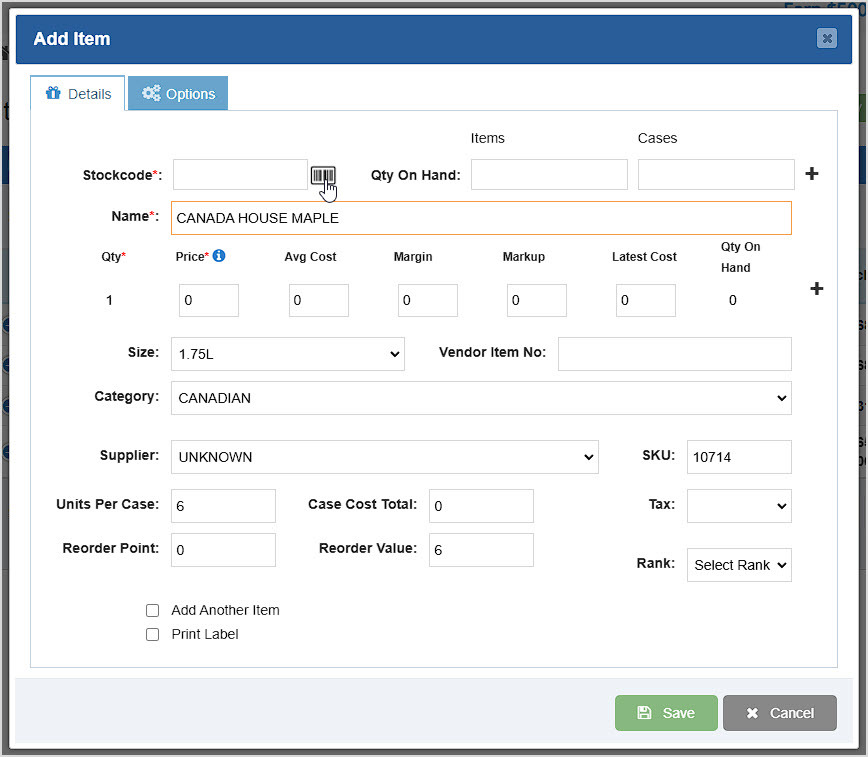
Click the Copy Icon to Clone the Item. The new item will have all of the original's data, except for the Stockcode. You'll need to add a new Stockcode, either manually or using the Barcode Icon to have the system generate one for you. You can adjust the Name and any other data you need, and then Save it as a new item.
Q: Can I clone items from the Register?
A: No, but you can create items if needed from the Register using the Add Item button, or if you scan and it fails to find an item, the system will offer to let you add an item. For full details on this topic take a look at this article: Adding New Inventory from the Register
Q: I have a question, but I can't find my answer here, how do I get more assistance?
A: You can ask any question at the number below. Contact our 24/7 support team at: (877) 381-4087
Is this page helpful?
×Help us improve our articles