Suggested Price for Items

October 01, 2024October 01, 2024

What is the Suggested Price Feature?

Have an item you thought would be selling well that's not selling? Your pricing might be the problem.

The Suggested Price feature allows you to see the lower and higher end pricing trends in your state for a selected item, as well as how your store's price for that item compares to other stores in your state.

You can then choose your item price based on the range of prices.
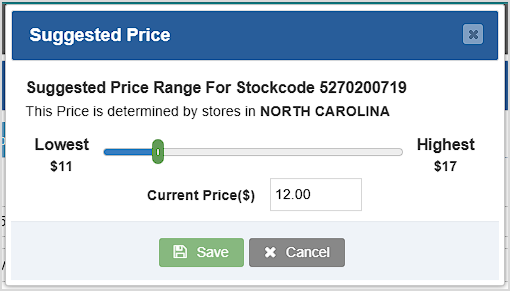
Image showing the Suggested Price window of the Bottle POS for an item.

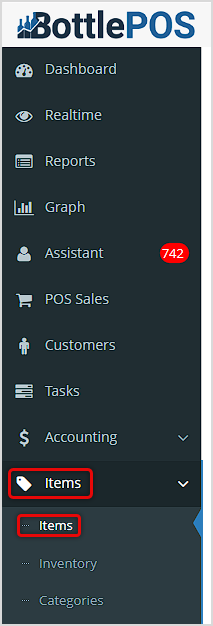
Image showing the link for the Items page of the Items area of the Bottle POS Admin app.

To begin using the Suggested Price function for your items, log into your Admin portal and go to the Items page in your Items menu.
 

How to Use the Suggested Price Feature

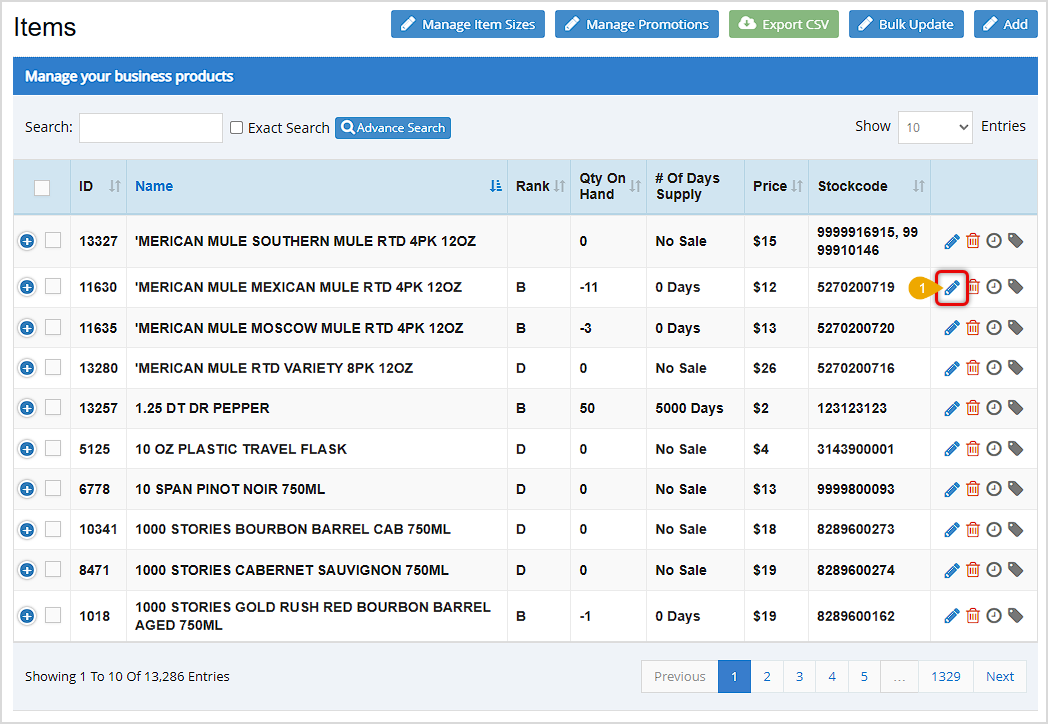
  1. Pick the item which you would like to view the suggested prices, and click the pencil icon next to the item. The Edit Item window will open.
    Image showing the Items window of the Bottle POS Admin and highlighting the pencil icon you can use to edit an item.
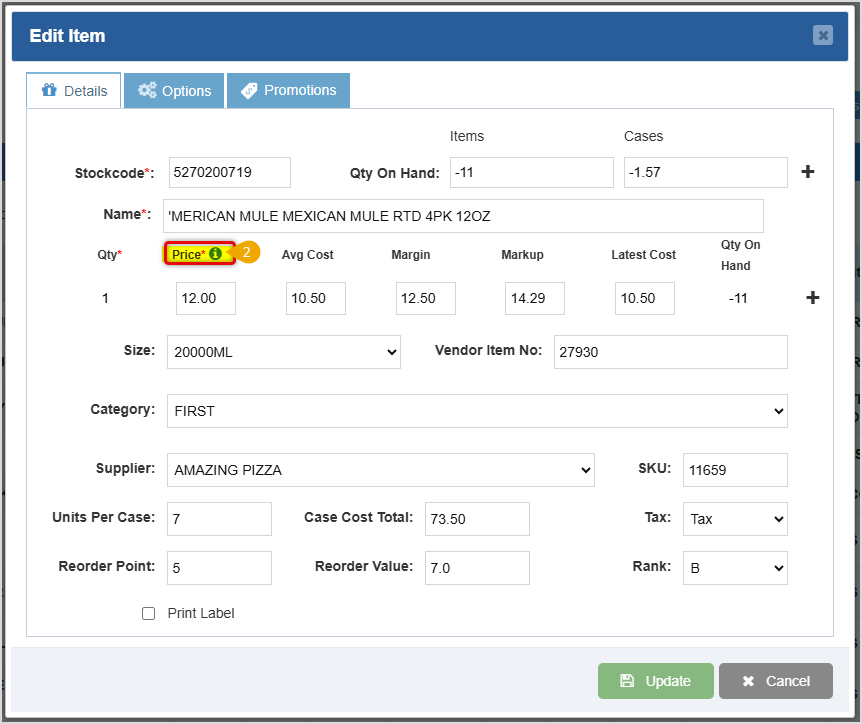
  2. In the Details tab of the Edit Item window, click on the ( i ) icon next to the Price* label for the item to open the Suggested Price window.
    Image showing the Details tab of the Edit Item window of the Bottle POS Admin with the Price info icon highlighted.
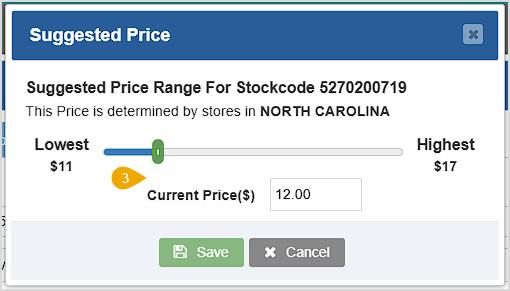
  3. The Suggested Price window will display the Lowest and Highest prices in your region, as well as your current saved price for the item. You can use the slider to select your price based off of the range, or enter the desired price into the Current Price($) box.
    Image showing the Suggested Price window of the Bottle POS for an item.
  4. Once you have chosen your desired price click the Save button to set that price, and then at the bottom of the Edit Item window click the Update button to save your changes.


Related Topics

Manage Items Page

How to Create an Inventory Item


Frequently Asked Questions

Q: Can I specify the geographic area the suggested price window uses to find its range of prices?

A: No. The Suggested Price feature will draw data from your state to find its lowest and highest prices.


Q: I have a question, but I can't find my answer here, how do I get more assistance?

A: You can ask any question at the number below. Contact our 24/7 support team at: (877) 381-4087