






Dashboard
Your Admin Dashboard is your hub for keeping your finger on the pulse of your business. Take a look

 October 01, 2024
Your Admin Assistant page offers a look at key automated changes to your inventory data. Once you start working with inventory updates give it a try!
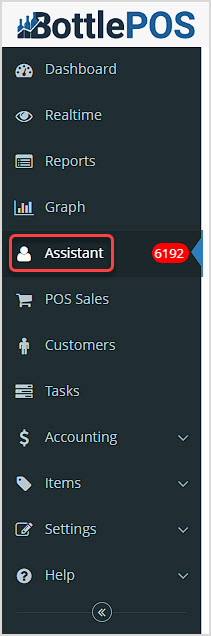
You can get to this part of the system by logging into your Admin and clicking on Assistant in the upper left. In the system sidebar, you'll see the number of unread updates for this area in the red oval.
By default the Assistant will show you the current day's updates, but if you want to see what was adjusted for a specific item, you can use the Search in the upper right. You can also change the date Range to whatever you might need.
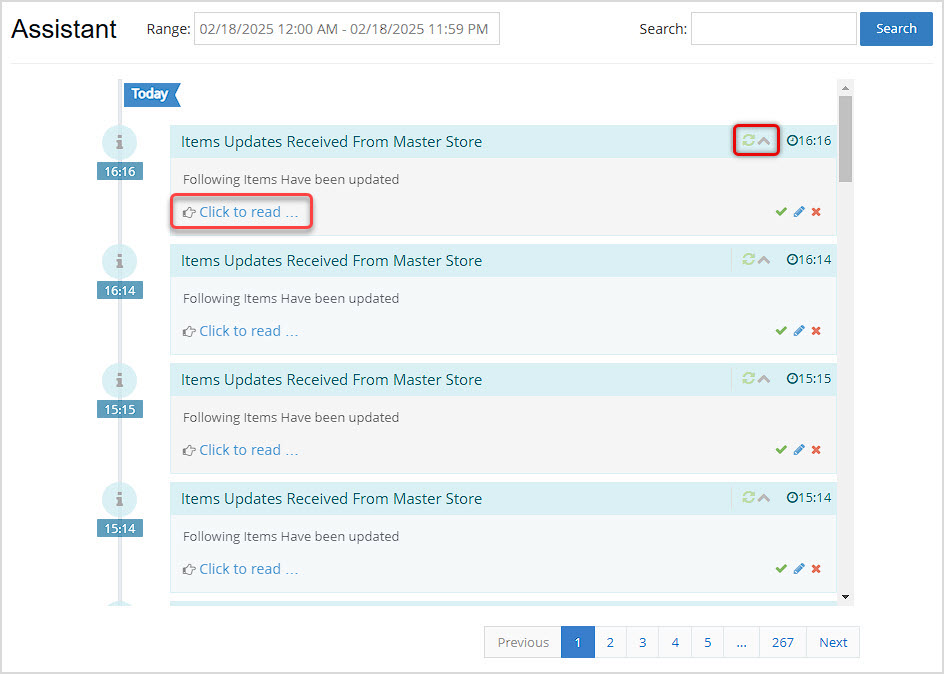
The Bottle POS will post updates about automated updates to inventory data such as Rank and item changes from store syncs. In the upper right of each update, you can click to Refresh the information if you like, or click the Up Arrow to collapse the update. Please note, the Checkmark, Pencil, and X icons in the lower left of each item are not fully developed and at this time will take you to the Dashboard.
To view the Notification Details, click on the Click to Read link.
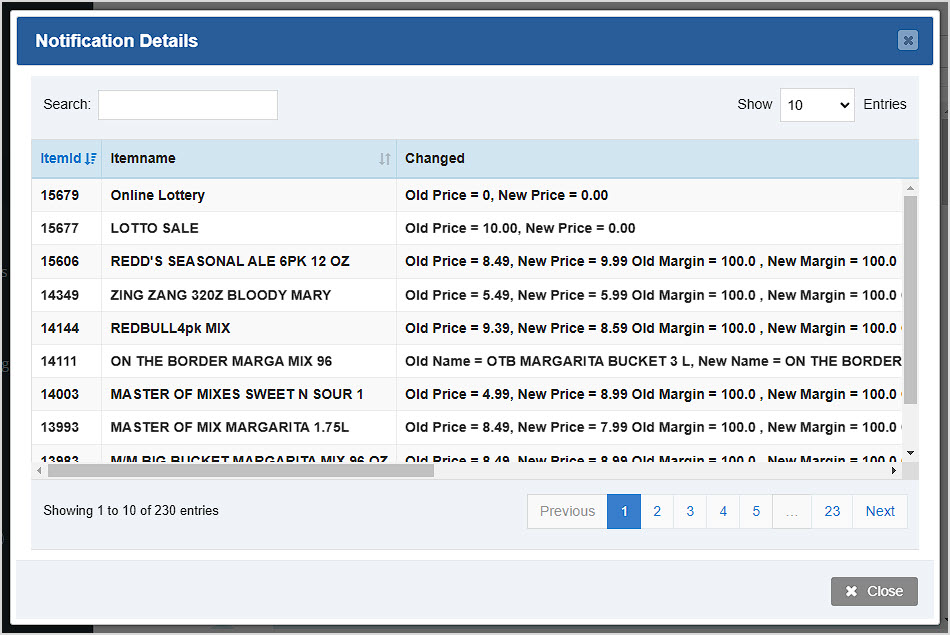
You can Search for items in the Notification Details window as well, by Item ID or the name. The Notification Details window will show you the Item ID and Item Name for each item that was adjusted, and in the Changed column, you'll see changes to Name, Price, Margin, Units per Case, and other important areas.

Q: I have a question, but I can't find my answer here, how do I get more assistance?
A: You can ask any question at the number below. Contact our 24/7 support team at: (877) 381-4087
Is this page helpful?
×Help us improve our articles