






Reprinting Transaction Receipts
Reprinting a Transaction Receipt You can reprint transaction receipts from the Bottle POS and Admin.

 October 01, 2024
Don't like card processing fees? Bottle POS offers Dual Pricing which allows you to charge less on cash purchases than you do with card transactions in the Register. Take a look at how easy it is to use!
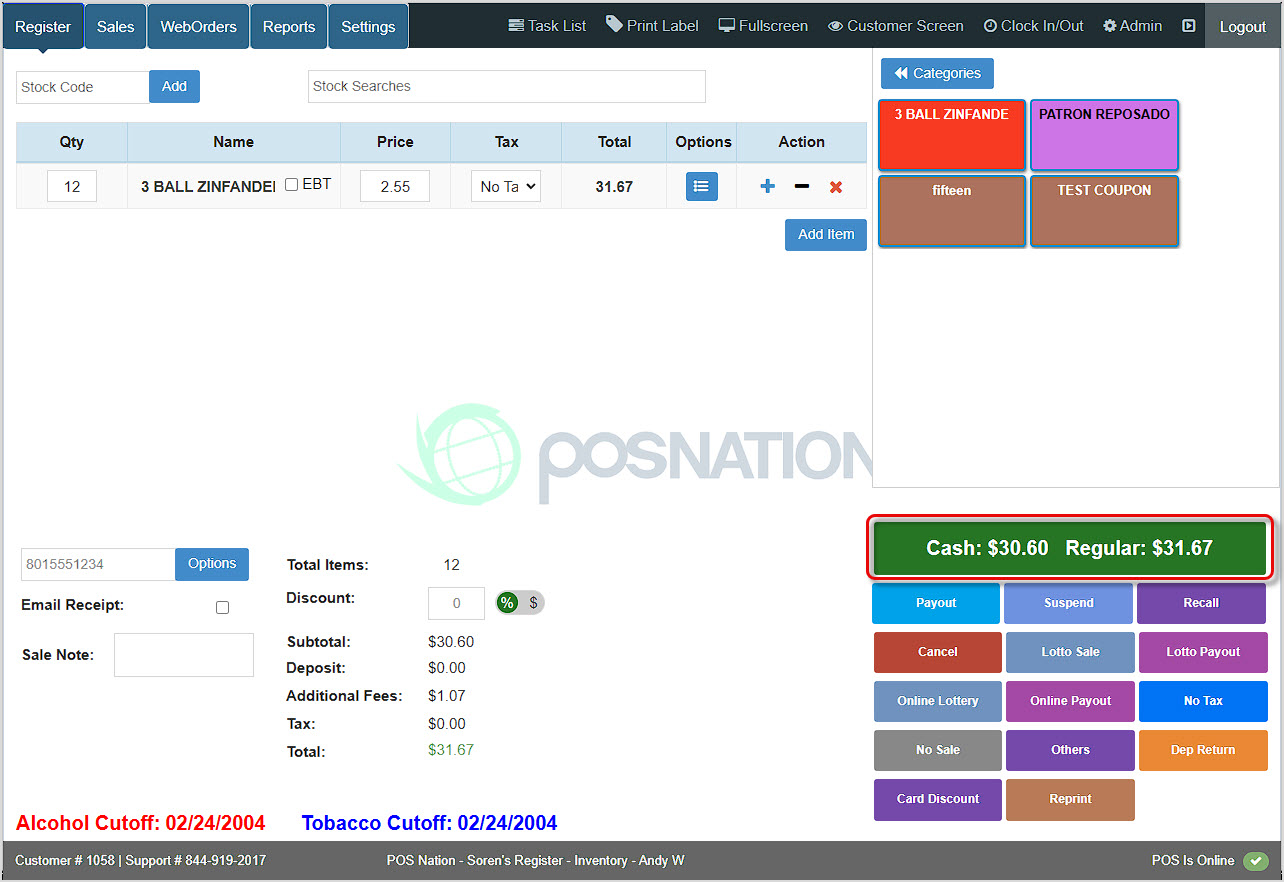
You can get to this part of the system by logging into your Register app. The Register tab will load for you automatically.
If you want to use this feature, please contact the Bottle POS Payments team and we can get it activated for you!
Once the feature is activated, cash purchases will be at a lower amount, and card purchases will be for the full amount. As you can see in the image above, the green Checkout button on the right displays the dual pricing. When you click that button, you'll see the following: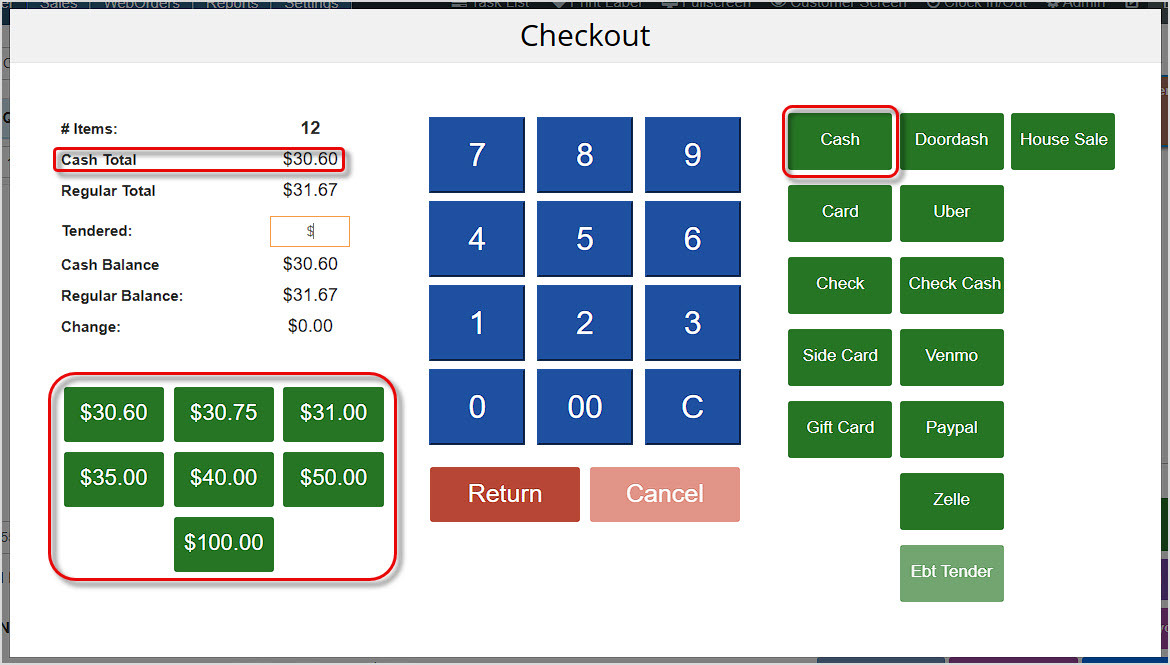
You can see the Cash Total in the upper left is a lower amount than the Regular Total (Card). Please note that all payment Tender types that do not have processing fees (Check, Gift Card, Venmo, etc.) are treated by the system as cash. Card and Side Card are treated as 'Regular.'
As pictured above, you can enter a manual amount in the Tendered area to take a partial payment and click the Cash button, then pay the remaining amount a different way. Or you can use one of the cash amount buttons in the lower left to complete the transaction with cash with a single click.
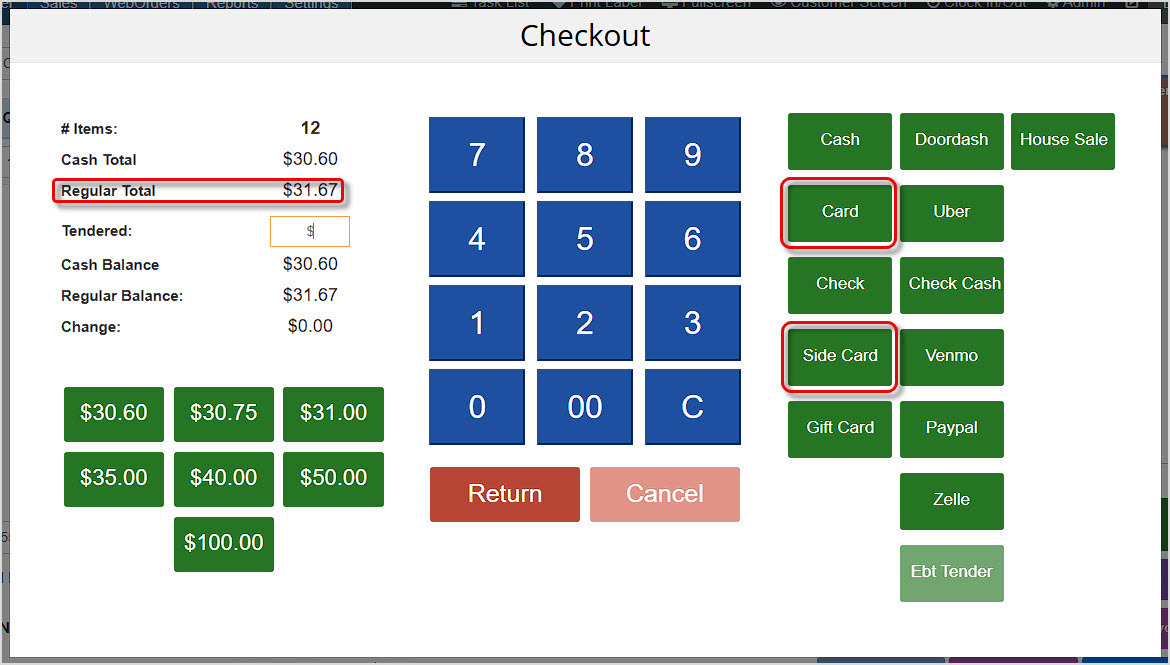
To take a card payment, even if it is not an integrated processing solution and uses Side Card, click either Card or Side Card and follow the on-screen prompts. The Regular Total shows the larger amount they will pay because of the processing fee.
Q: Is there a setting I can adjust to enable Dual Pricing?
A: No. That function needs to be configured by the Bottle POS Payments team, and they're happy to help!
Q: Can I manually adjust the extra amount charged by the Dual Pricing feature?
A: No. It is set for the amount your card processing fee would add to the cash total.
Q: I have a question, but I can't find my answer here, how do I get more assistance?
A: You can ask any question at the number below. Contact our 24/7 support team at: (877) 381-4087
Is this page helpful?
×Help us improve our articles