Reprinting Transaction Receipts

October 01, 2024
Reprinting a Transaction Receipt
You can reprint transaction receipts from the Bottle POS and Admin.
Register
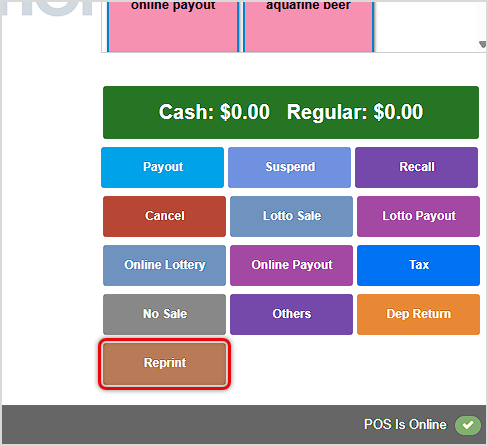
You can reprint the most recently completed transaction in your POS Register app by clicking the Reprint button in the bottom right.
Sales
You are able to work with recent transactions in the Sales tab of your Bottle POS app. You can get to this part of the system by logging into your POS app and clicking on Sales in the upper left.
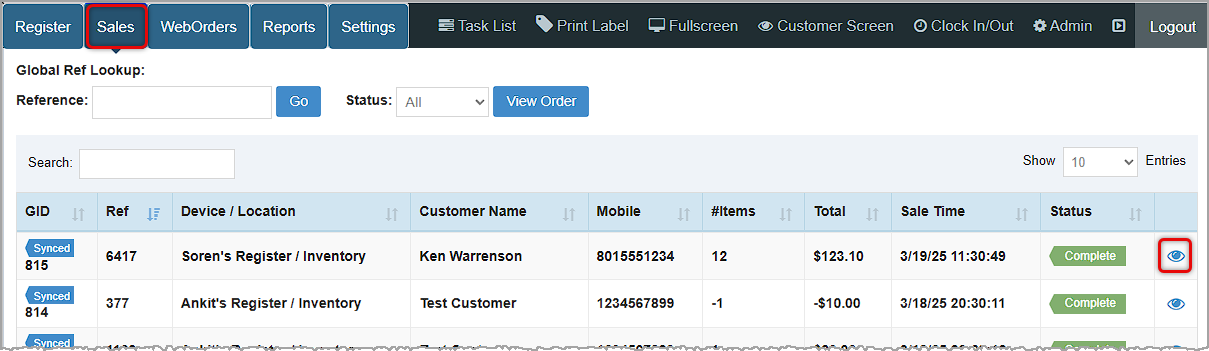
- You can find the transaction you want if you enter its Ref ID (the handful of digits after the final hyphen will work) in the Reference Search in the upper left and click the Go button. You can also use the Search field just above the data table to search by any name, number, amount, or date in the data table.
- When youâve found your transaction, click the Eye icon on the far right to open the Transaction Details window.
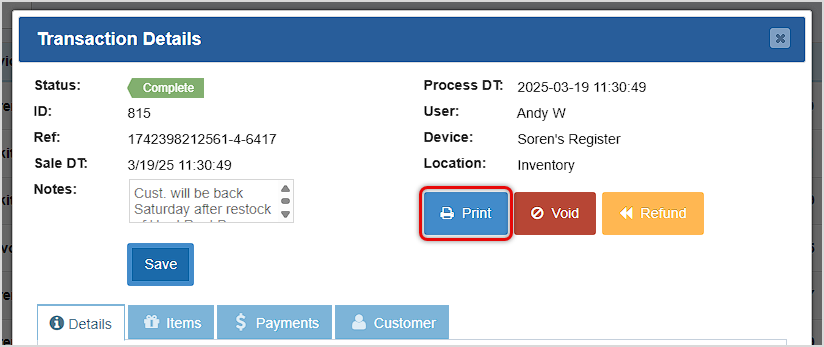
- Click the Print button to reprint the transaction receipt.
POS Sales Manager
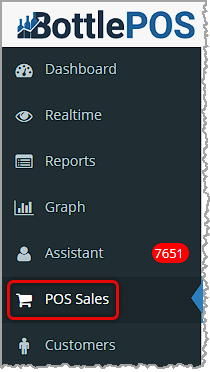
You can get to this part of the system by logging into your Bottle POS Admin app and clicking on POS Sales on the left.
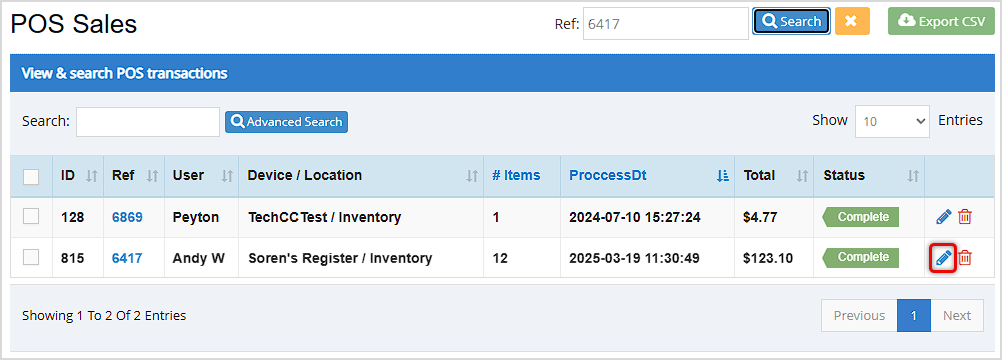
- Search for the transaction you want to void using either Ref Search at the top (you can use the last few digits in the Ref ID), the Search just above the data table (you can search by any number, name, date, or amount), or you can use the Advanced Search using any information you might have about the transaction.
- Click the Pencil icon for the transaction, as shown in the following image. The Transaction Details window will open.
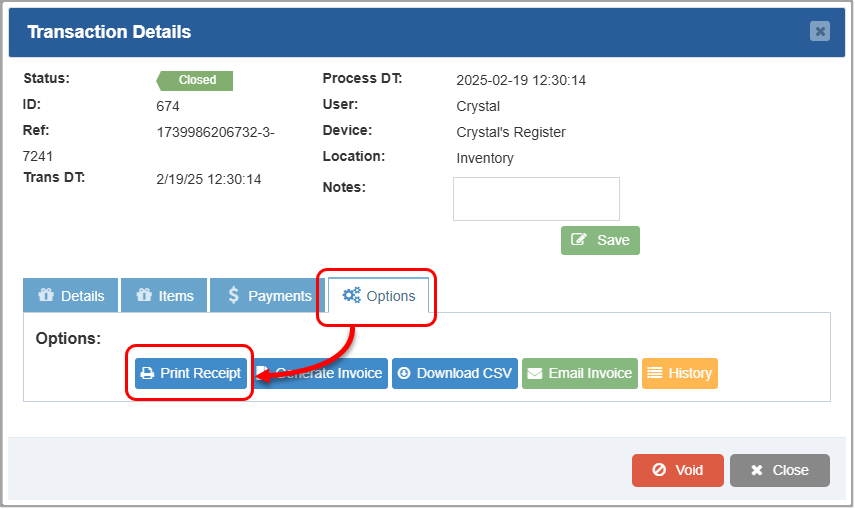
- Click the Options tab.
- Click Print Receipt to open the Print window.
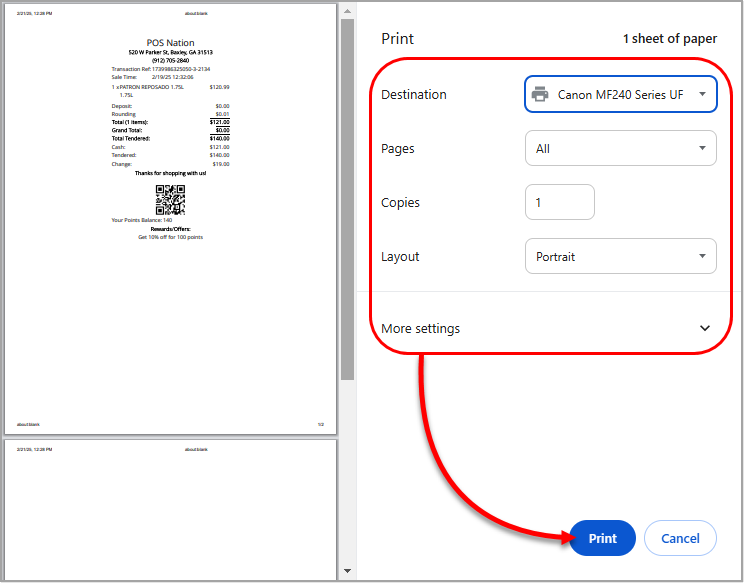
- Select a printer in the Destination box.
- Select the number of copies to print in the Copies box.
- Make any other selections as desired.
- Click Print. The copies will print to your selected printer.
Related Topics
How to Find Transactions
Working With Transaction Details in the POS
Working With Transaction Details in the Admin
Frequently Asked Questions
Q: I have a question, but I can't find my answer here, how do I get more assistance?
A: You can ask any question at the number below. Contact our 24/7 support team at: (877) 381-4087
Your Admin Dashboard is your hub for keeping your finger on the pulse of your business. Take a look
Your Admin Realtime page gives you a live view of your sales as they come in and has some useful uti
The Reports in the Bottle POS Admin can show you details about all of your data, however you need to








Is this page helpful?
×Help us improve our articles