






How to Add Employees - Staff & Admins Settings
Learn how to successfully add new employees to your Bottle POS and to set their security permissions

 April 30, 2026
The Tomra system integration will automate your Bottle Deposit return amounts for you! Your sales clerks will be able to scan a barcode printed from your Tomra bottle return machine and the system will add the correct Bottle Deposit return amount to the Register for you. Take a look at how it works!
Please Note: To use this integration for automating Bottle Deposit returns you will need an active Tomra account and a Tomra recycling device such as the Tomra R2. If you do not use a Tomra recycling device, you will not need to use this integration.
Please Note: The Tomra integration settings on the Accounting Settings page are only available in the very newest version of the Bottle POS system. If you follow the instructions below and do not see the settings, you will need to contact the support team using the information at the bottom of this page.
To enable the Tomra integration, log into the Admin and follow these steps:
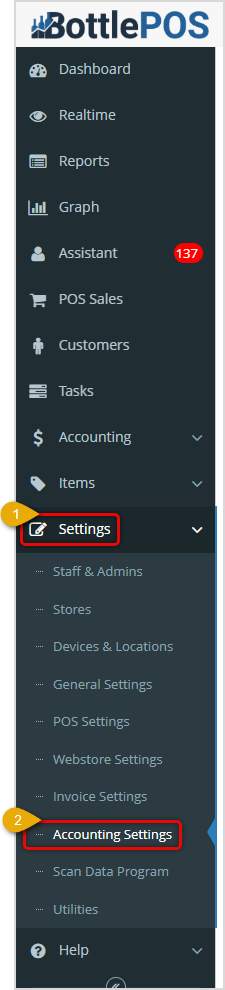
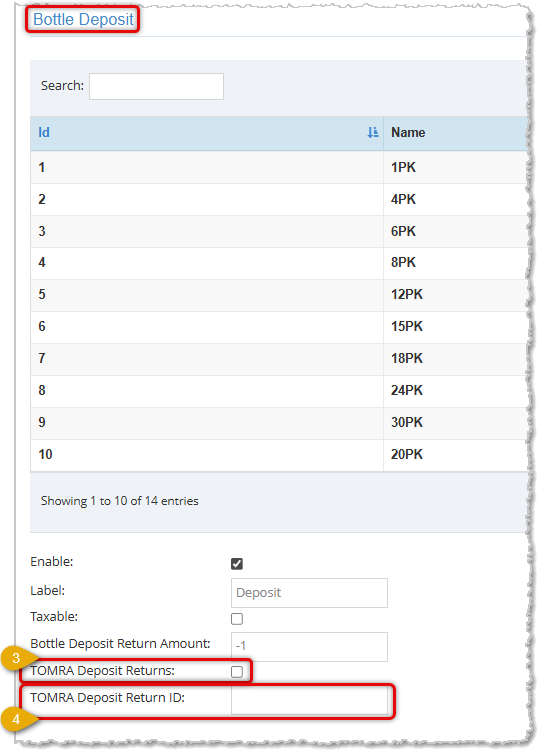
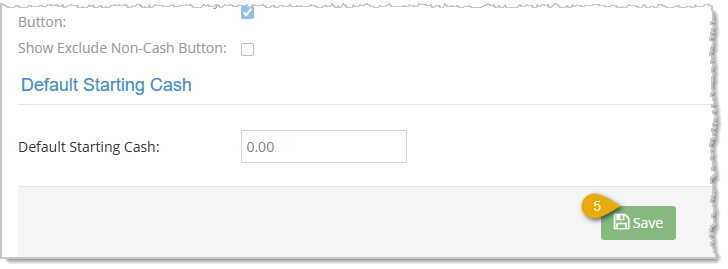
Your Tomra recycling device will print out barcode slips for your customers and they can bring them to the Register, similar to the example below:
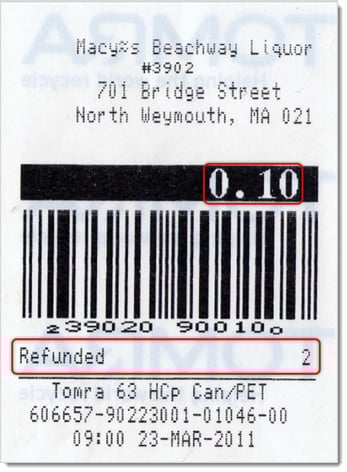
You'll see the amount to be returned and the number of recyclable containers the customer returned on the slip. Just scan in the barcode and the integration will populate the return amount and the Tomra Deposit Return line item for you.
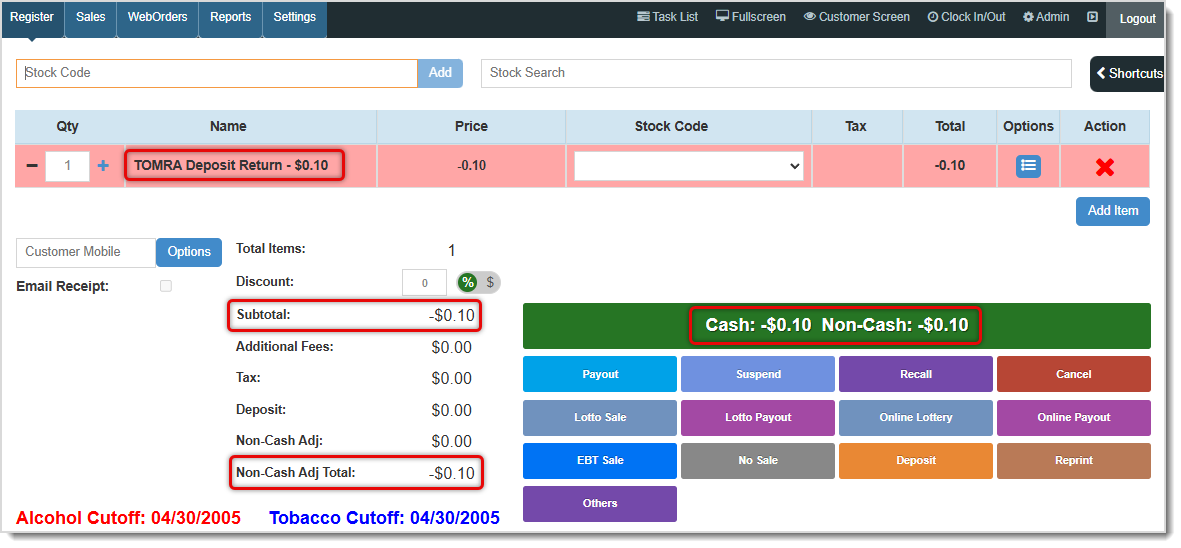
Complete the return in the normal way.
Q: I don't see anything about the Tomra integration on my Accounting Settings page, what do I do?
A: The Tomra integration is only available in the newest version of the system. Contact our support team using the information below to expedite your version update (this is free as part of your ongoing service subscription).
Q: I have a question, but I can't find my answer here, how do I get more assistance?
A: You can ask any question at the number below. Contact our 24/7 support team at: (877) 381-4087
Is this page helpful?
×Help us improve our articles