






Managing Timesheet Entries
It's common for employees to forget to clock in or out and when that happens you need an easy option

 October 01, 2024
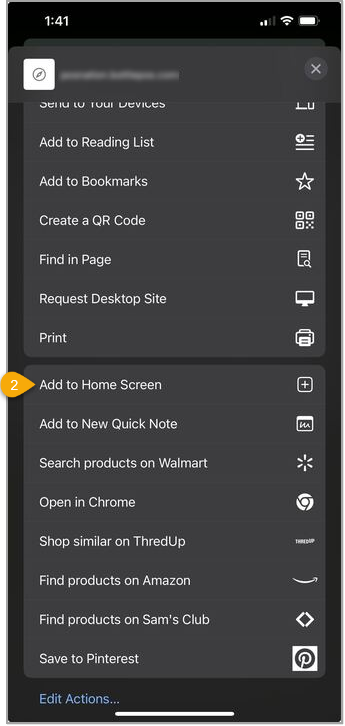
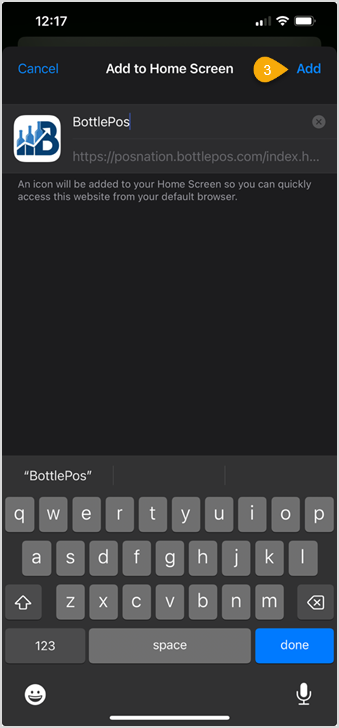
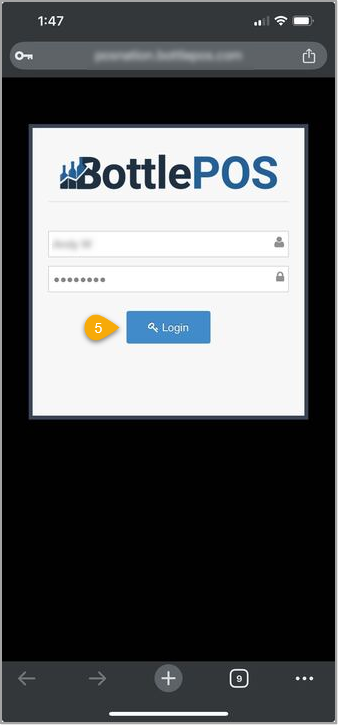
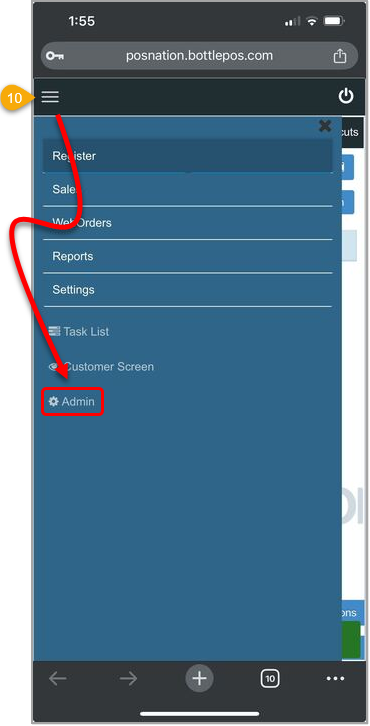
Learn how to add the Bottle POS Admin app to your mobile device. Adding it to a mobile device allows you to manage your store on-the-go.
Please Note: Images in this article are taken using an Apple iPhone. If you have a different iPhone version or an android phone, your steps may look slightly different.
On your mobile device, open your browser of choice, such as Safari.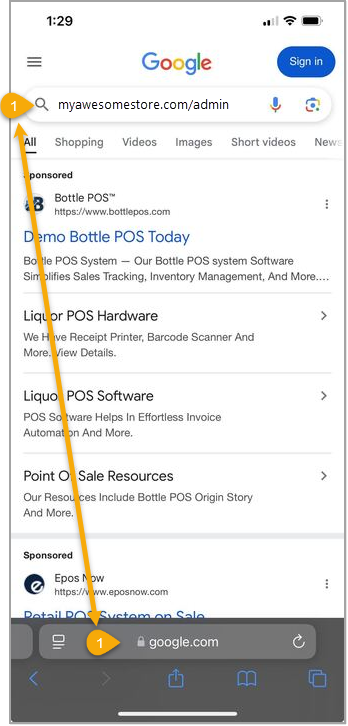

How to Scan and Manage Inventory Using Your Smart Phone
How to Review a Receive Order for Errors
Q: Can I use this app to make sales?
A: No. This is the administrator portal that you can use to manage your back office.
Q: I have a question, but I can't find my answer here, how do I get more assistance?
A: You can ask any question at the number below. Contact our 24/7 support team at: (877) 381-4087
Is this page helpful?
×Help us improve our articles