






Managing Timesheet Entries
It's common for employees to forget to clock in or out and when that happens you need an easy option

 October 01, 2024
Time Card entries are an important part of tracking employee hours. Proper usage of the Time Card feature will save you time when calculating wages due for employees. This article will provide you with the information you need to be able to clock in as well as clock out of a shift.
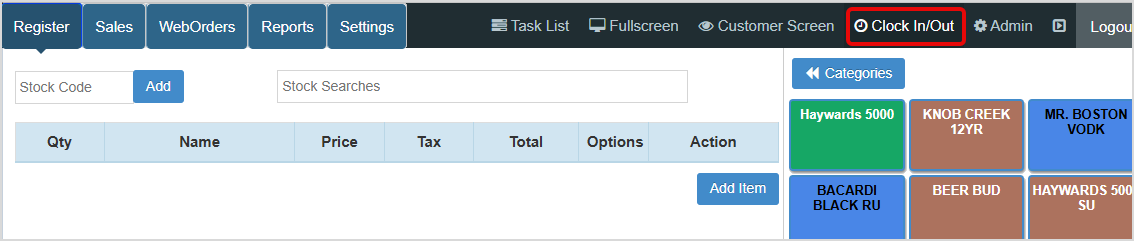
Once you are logged in, click the Clock In / Out button in the upper right of the Register.
With the Clock In / Out window open, you can click the appropriate button to Clock In or Clock Out.
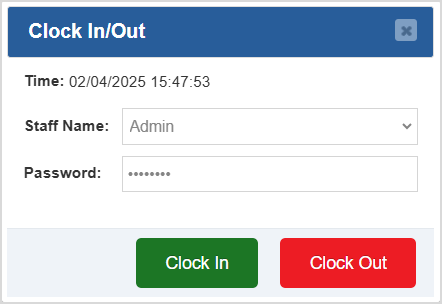
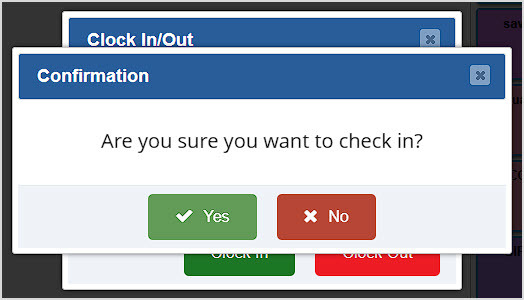
Follow these steps to complete your Clock In or Clock Out:
Q: How do I add new employees to the system?
A: You can add new employees to the system through the Admin. Review this article for more information on how to add new employees: How to Add Employees
Q: How do I review my employees hours?
A: You can review your employees time card entries through the Payroll report available in the Admin. Review the article linked above for more information on running a Payroll Report.
Q: I have a question, but I can't find my answer here, how do I get more assistance?
A: You can ask any question at the number below. Contact our 24/7 support team at: (877) 381-4087
Is this page helpful?
×Help us improve our articles