How to Run Reports for Customers

October 01, 2024October 01, 2024

The Sales Report and House Account Report in the Admin can show you important information about your customers. Take a look!
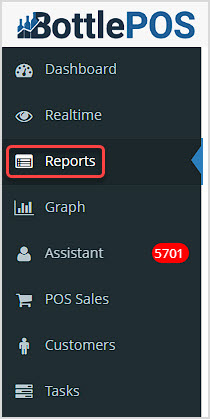
Image showing the Reports area of the BottlePOS system app’s main menu.

To get to these reports, sign in to your Admin. Click Reports in the upper left to view the reports detailed below.


Working with Customers in the Admin Reports


Customer Data in The Back Office Reports

There are two reports in the Admin that offer data about your customers:
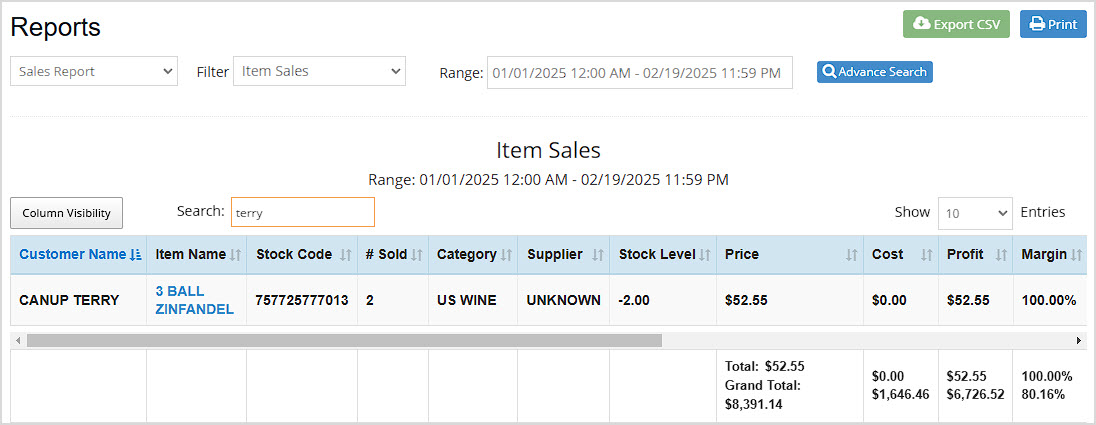
  1. Sales Report The first column of the data table in this report shows the Customer Name. You can click the Sort button at the top of the column to sort or click again to reverse-sort if you want to search the data by customer alphabetically. You can use the Search field to find the customer you want by entering their name. Once you find the customer, you'll see only their items in the data table.

Image showing the Reports page of the BottlePOS system with the Sales Report loaded.
You can also use the Advance Search which has a Customer field that lets you search by Mobile or by Name.
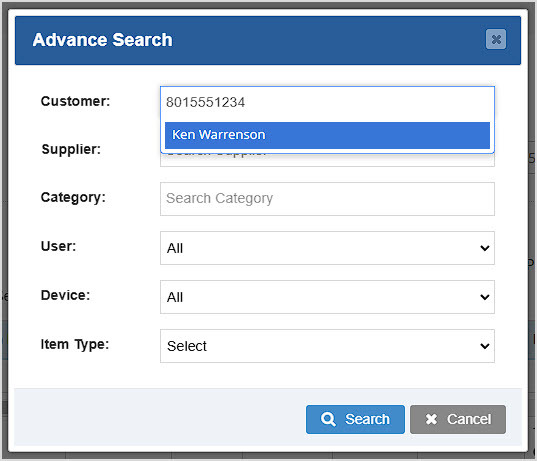
Image showing the Advance Search window of the Sales Report of the BottlePOS system.

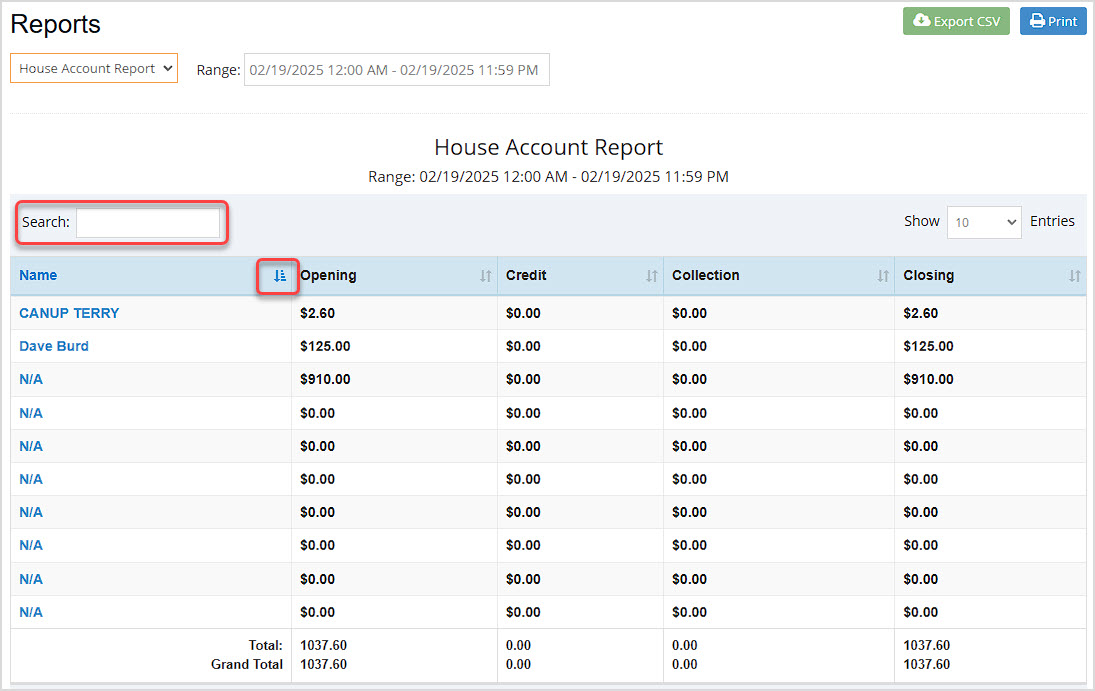
  1. House Account Report You can see important information about customers for whom you've created House Accounts in this report. You can click the Sort button at the top of the column to sort or click again to reverse-sort if you want to search the data by customer alphabetically. You can use the Search field to find the customer you want by entering their name. Once you find the customer, you'll see only their items in the data table.
    Image showing the House Account Report of the BottlePOS system with Search and Sort functions highlighted.


Related Topics

Guide to the Admin Reports

Sales Report

How to Set Up and Use a Customer House Account


Frequently Asked Questions

Q: I'm entering the customer's Mobile in the House Accounts report search, but the customer doesn't come up. Am I doing this wrong?

A: In that Search field, you can search using text for the customer's name, but that report does not access Mobile number information for the customers.


Q: I have a question, but I can't find my answer here, how do I get more assistance?

A: You can ask any question at the number below. Contact our 24/7 support team at: (877) 381-4087