






Managing Timesheet Entries
It's common for employees to forget to clock in or out and when that happens you need an easy option

 October 01, 2024
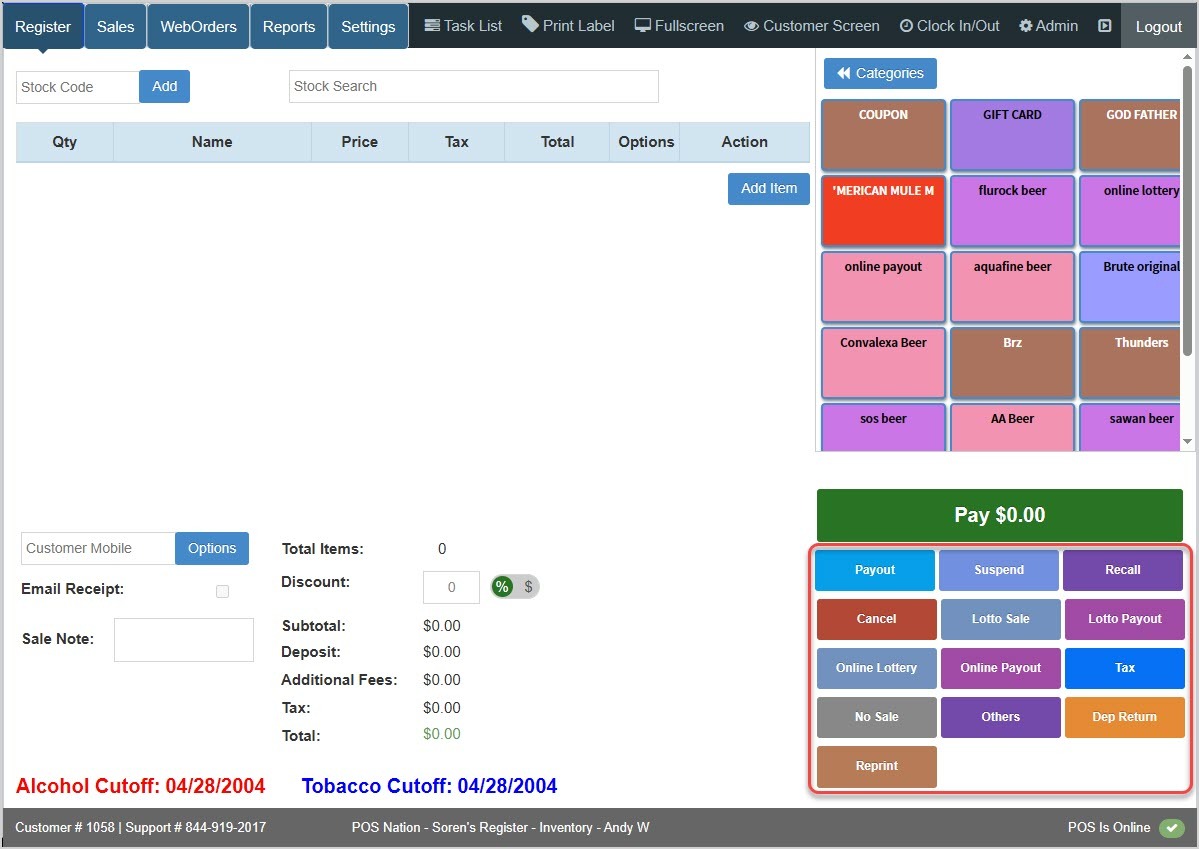
Hotkeys are in the lower right corner of your Register app and can make common tasks easy to complete with a single click. Learn how to configure the Hotkeys you display in that area and how to use them in the Register.
The Hotkeys area of the Register is in the lower right:
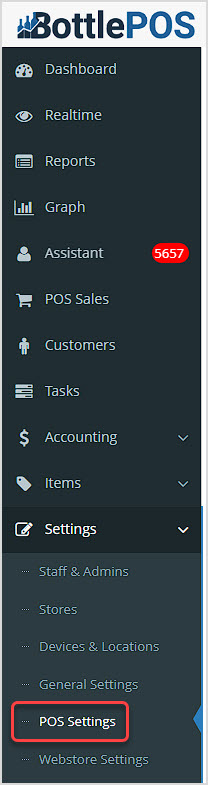
To configure optional Hotkeys, you'll work in the Bottle POS Admin app. You can get to this part of the system by logging into your Admin and going to Settings > POS Settings.
In the POS Settings page, there are two areas where we can find options for the Hotkeys available in the Register App. Both are on the right side of the page:

In the Sale Options area above, you can check the option to Hide No Sale Button if you don't want that button used by your sales clerks to open the Cash Drawer.
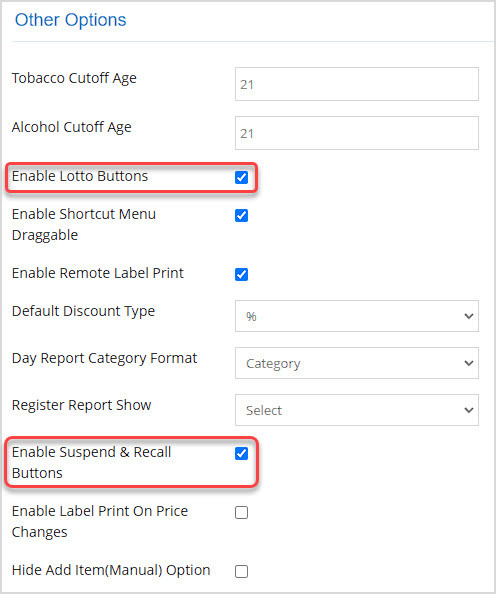
Scrolling down further into the Other Options section, you have the option to Enable Lotto Buttons, if you sell lottery tickets. Enabling your lottery buttons adds Lotto Sale, Lotto Payout, Online Lottery, and Online Payout hotkeys in the Register app. By default, this option is disabled and the lottery hotkeys will not display in your Register.
You can also Enable Suspend & Recall Buttons. By default this is enabled, and adds Suspend and Recall hotkeys to your Register app. These allow your sales clerks to pause and resume transactions if a customer has to run for their wallet, for example. If you want to prevent your sales clerks from suspending sales, uncheck this check box.
Once you have made the configurations you want, click Save at the bottom. Please note that there is a lot for this page to check, so be patient while it saves your changes. You'll get a popup confirmation when it's finished.
To get to this part of the system, log into your Register App. The Register will come up automatically. In the lower right of your Register you can see the area for your Hotkeys. These keys allow you to perform actions with a single click.
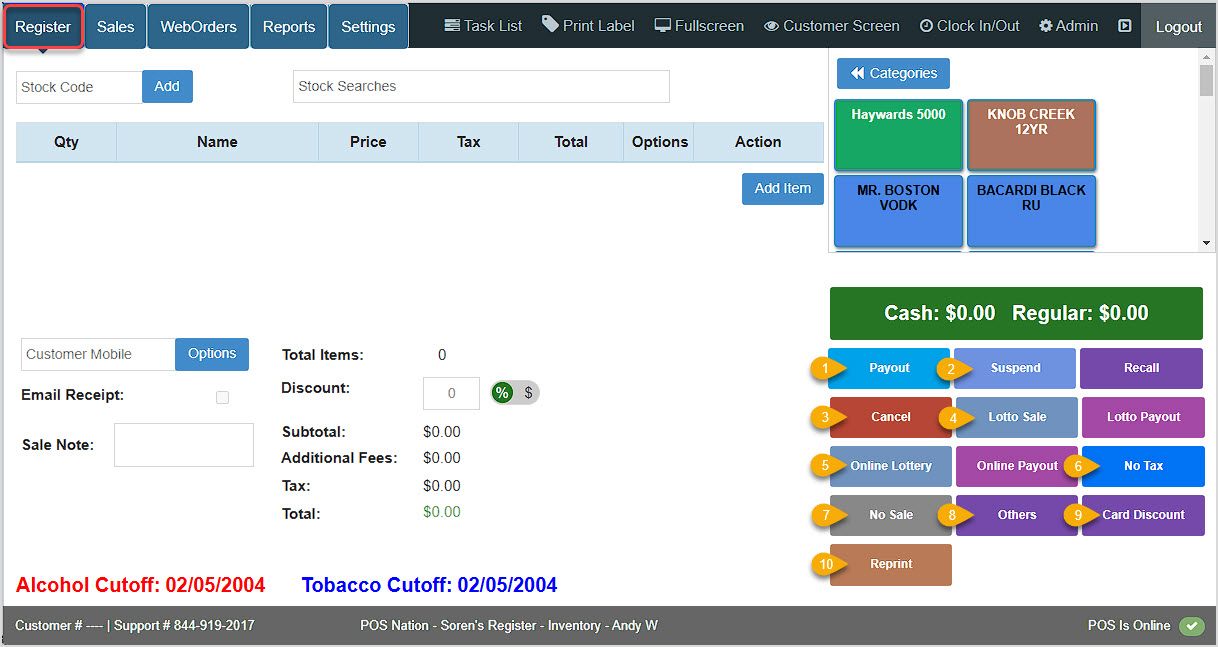


Q: If I accidentally canceled a sale, is there any way to get it back?
A: Unfortunately, using the Cancel button and confirming cancellation cannot be undone. If you need to clear the Register and not lose what's in there, use the Suspend button. When you need it back, the Recall button will bring full details back for you.
Q: How do I set up Gift Cards so they can work with my card processing terminal?
A: If you have an Inclusive Processing Solution that is integrated with the POS, Gift Cards that have been activated in the system can be used for purchases in the Register. Contact the Bottle POS Support team using the information below for assistance in setting this up, some parts of the setup will need to be done by our team.
Q: I have a question, but I can't find my answer here, how do I get more assistance?
A: You can ask any question at the number below. Contact our 24/7 support team at: (877) 381-4087
Is this page helpful?
×Help us improve our articles