






How to Add Employees - Staff & Admins Settings
Learn how to successfully add new employees to your Bottle POS and to set their security permissions

 October 01, 2024
Bottle POS offers the ability to drag and drop your Register Shortcut Keys into whatever arrangement you need. Find out more on how to do that below. Find out how below!
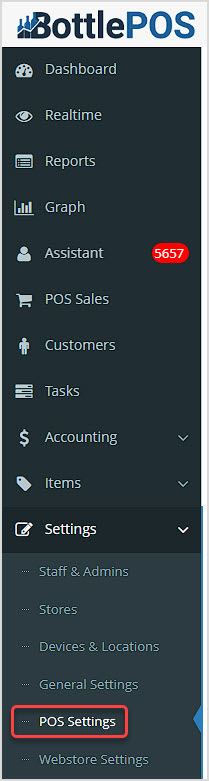
To begin this process, we'll start in the Admin, so you'll need Admin-level access to proceed. Log into your Admin app and go to Settings > POS Settings.
After loading the POS Settings page, scroll down to the Other Options section.
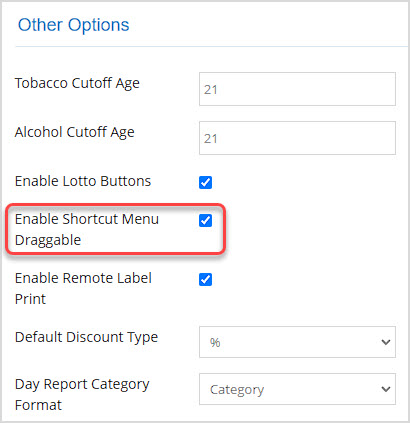
Find the setting to Enable Shortcut Menu Draggable and check the box. Scroll to the bottom and click the Save button. There's a lot of detail on this page, so it may take a moment to complete saving your changes, but a confirmation will pop up letting you know the save was successful.
Log into your Register App and go to Settings > General.
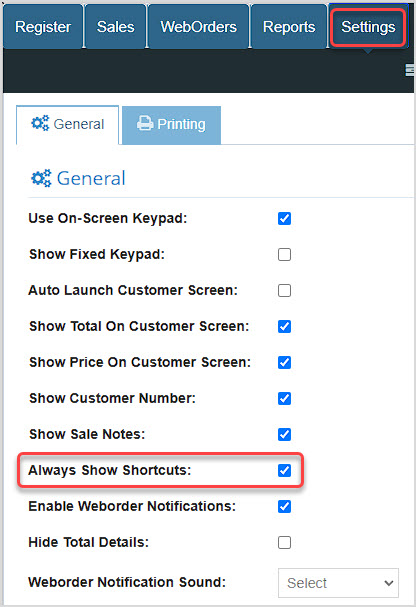
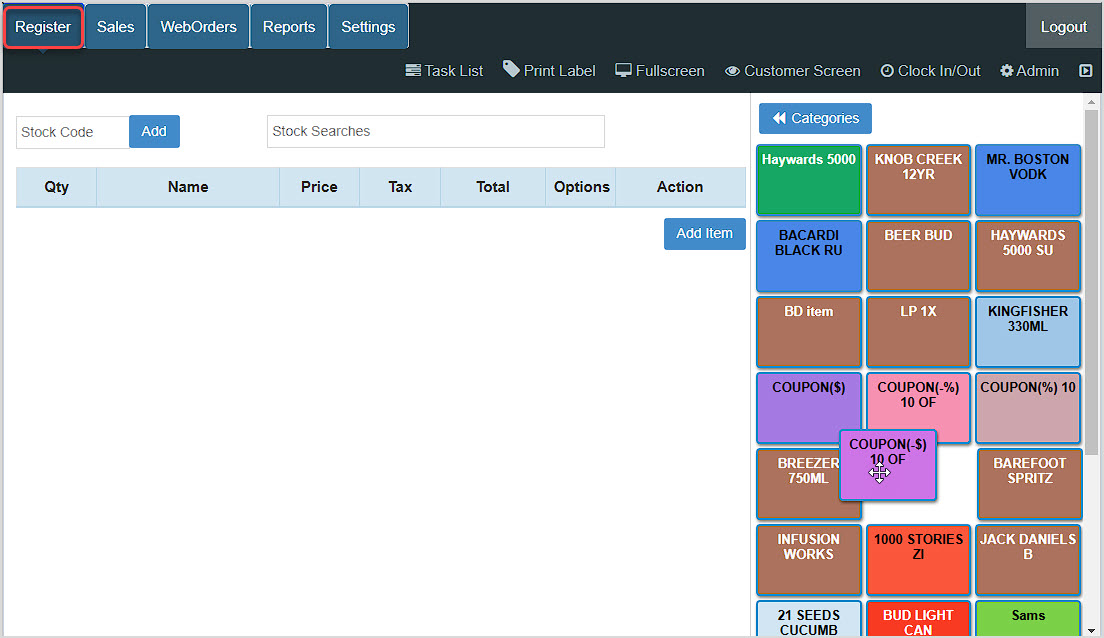
You can now drag and drop your Shortcut Keys into whatever arrangement works best for your needs. Once you're finished, if you no longer want the Shortcut Keys to be permanently in view, you can go back to the Register General Settings and turn off the Always Show Shortcut Keys setting.
Q: When I drag my shortcuts and drop them, they move back to their original position and the Bottle POS starts to slow down. Why does this happen?
A: This may be caused by you having too many shortcuts in your Bottle POS. There is no limit to the number of shortcuts you can add. However, adding a large number of shortcuts will require more processing power when arranging them, and not all computers may be able to handle this.
Q: I have a question, but I can't find my answer here, how do I get more assistance?
A: You can ask any question at the number below. Contact our 24/7 support team at: (877) 381-4087
Is this page helpful?
×Help us improve our articles