






How to Add Employees - Staff & Admins Settings
Learn how to successfully add new employees to your Bottle POS and to set their security permissions

 October 01, 2024
This article will explain how to change the Evaluation Period that determines the Number of Days Supply on an item. The number of days supply is calculated based on the average item sales per day during the specified evaluation period. This feature is designed to give you a better idea of how long your stock will last and when an item may need to be ordered again.
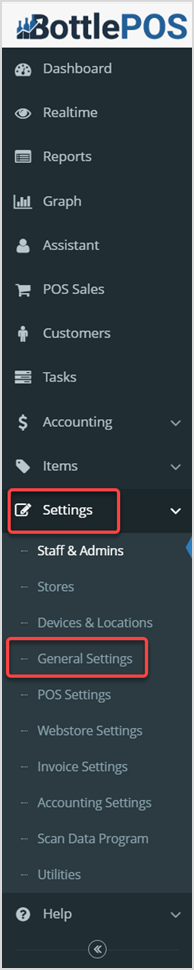
To get started, log into your Admin app. Go to the Settings and click on General Settings in the menu that opens. Scroll down to the Inventory Settings section on the General Settings page to get started.
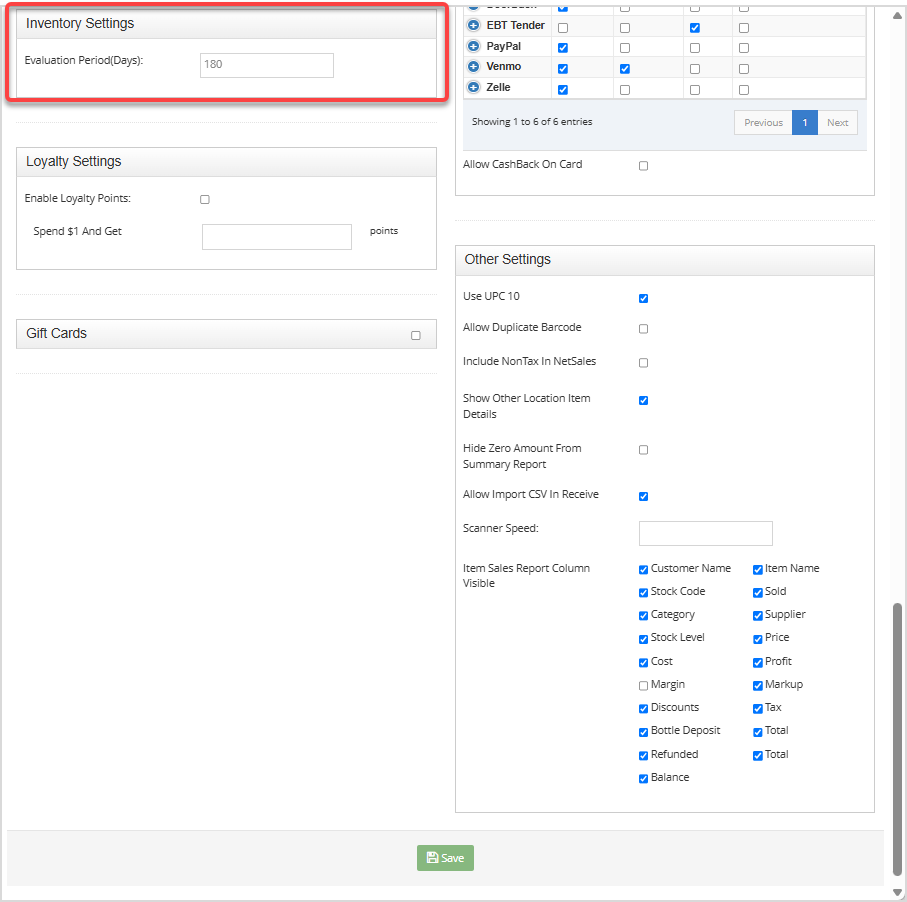
The value you configure here will be the number of days that the system evaluates your item sales to determine the Number of Days Supply for an item. The system will look at the sales over time for the period you set and calculate how long inventory will last for each item based on that calculation. Enter the desired number of days into the Evaluation Period (Days) field and click the Save button at the bottom.
Q: How soon after changing the evaluation period will I notice the changes to the item?
A: The calculation for the number of days supply should change instantly as it just looks at sales for the last evaluation period. The calculations for this are:
Q: I have a question, but I can't find my answer here, how do I get more assistance?
A: You can ask any question at the number below. Contact our 24/7 support team at: (877) 381-4087
Is this page helpful?
×Help us improve our articles