






Guide to the POS Reports
The Reports in the Bottle POS Register App can show you details about current sales such as totals a

 October 01, 2024
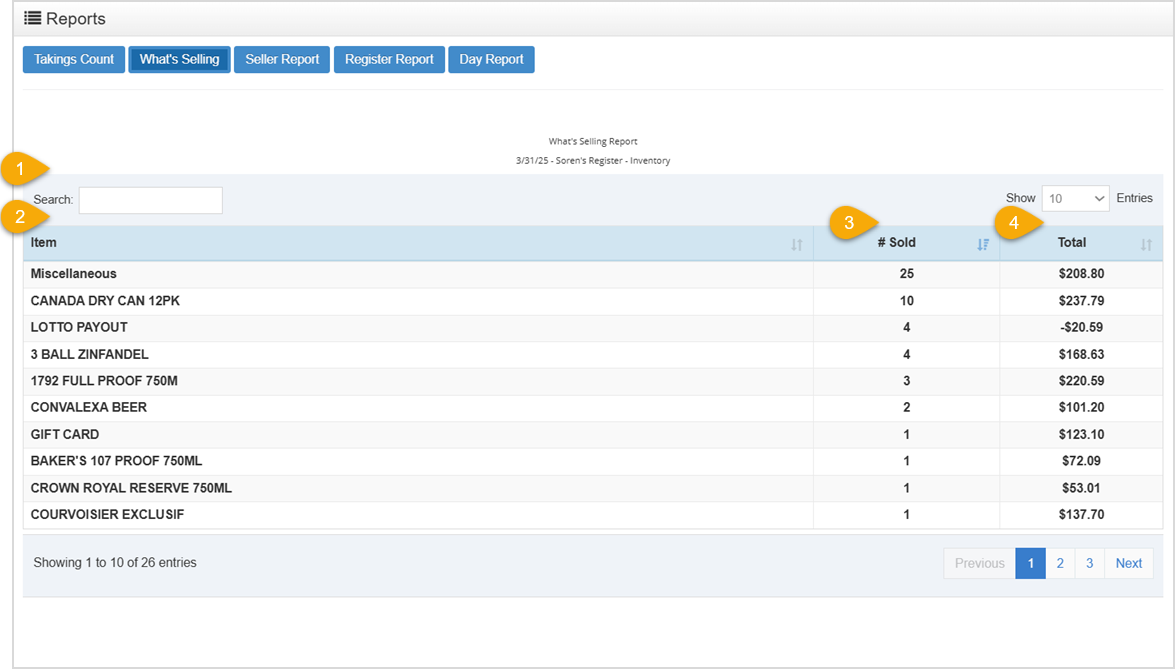
The Reports section of the Bottle POS system has a lot to offer. In this article, you’ll find information on the What’s Selling tab in the Reports section of the Bottle POS. The What’s Selling report shows what items have sold during the current shift.
 To get to this area, click the Reports Tab at the top of the Bottle POS, then, click the What’s Selling button, as pictured above.
Q: I have a question, but I can't find my answer here, how do I get more assistance?
A: You can ask any question at the number below. Contact our 24/7 support team at: (877) 381-4087
Is this page helpful?
×Help us improve our articles