






Manage Items Page
You can work with your Items in powerful and flexible ways using the main Items page in your Bottle

 October 01, 2024
You can use Tags to look up items that might not go into the same Category, or are not directly related, according to your needs. Keep reading below to find out how to add, edit and use Item Tags.
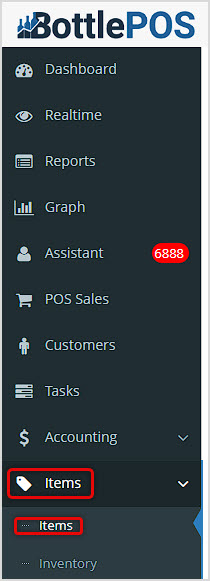
For setting up your Tags, most of the work you will do will be in the Admin. Go to the Items menu and when it opens, click on Items.
You can use Tags to:
In the Items page, search for the item you want and click on it's Pencil Icon to Edit it.
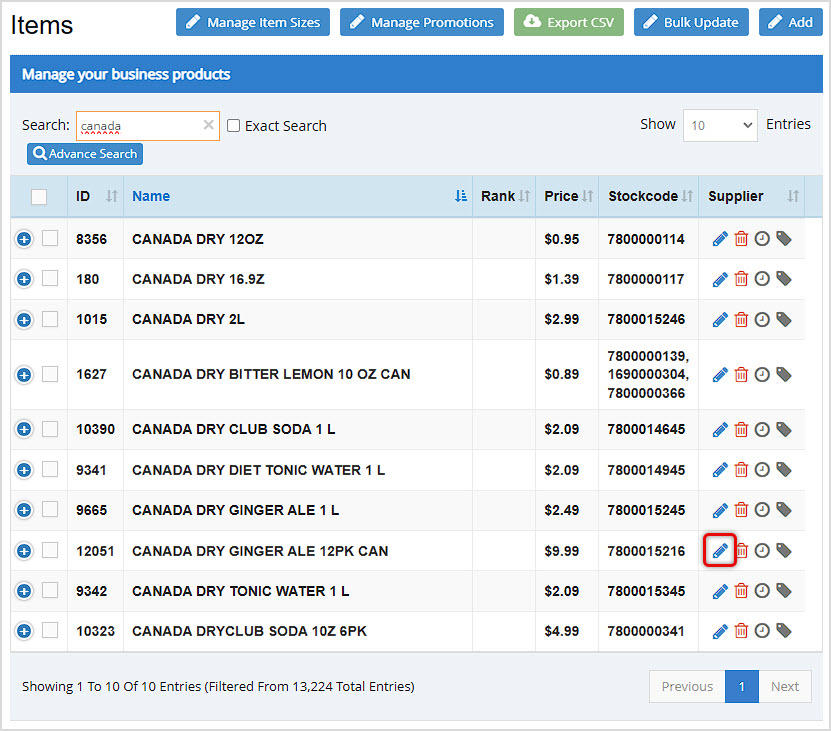
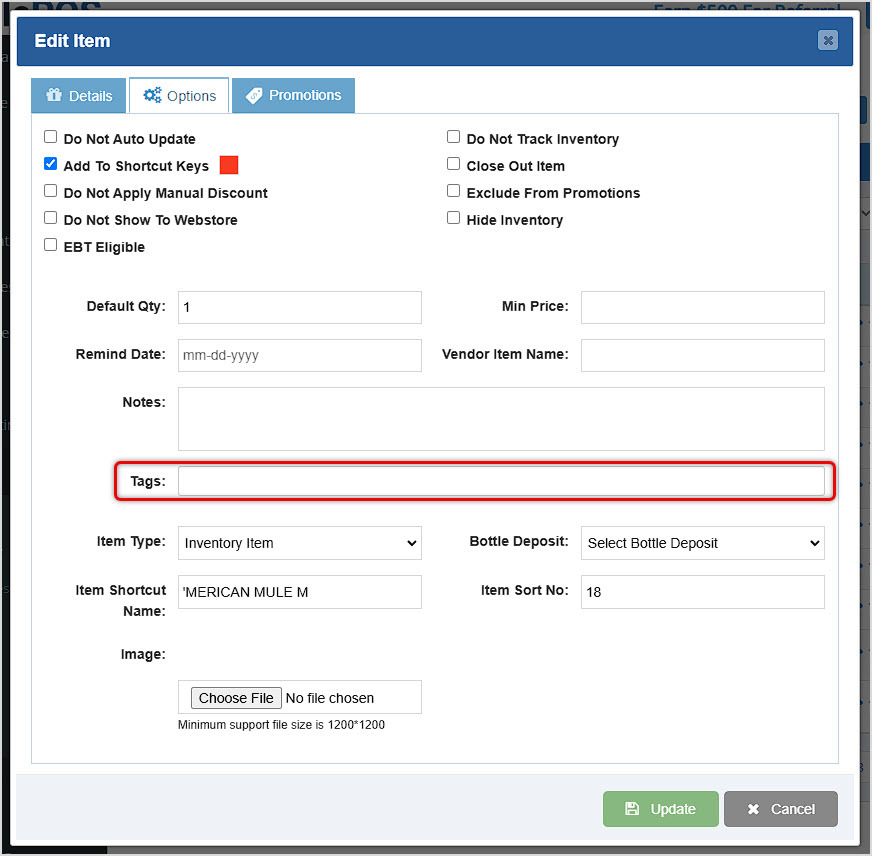
In our example, the Item is already in the Mixers Category. We want to add a Tag to it for Softdrink so we can look it up that way as well. Click on the Options tab and enter the text for the Tag you want.
When you're finished entering, the system will turn it into a Tag, as seen here.
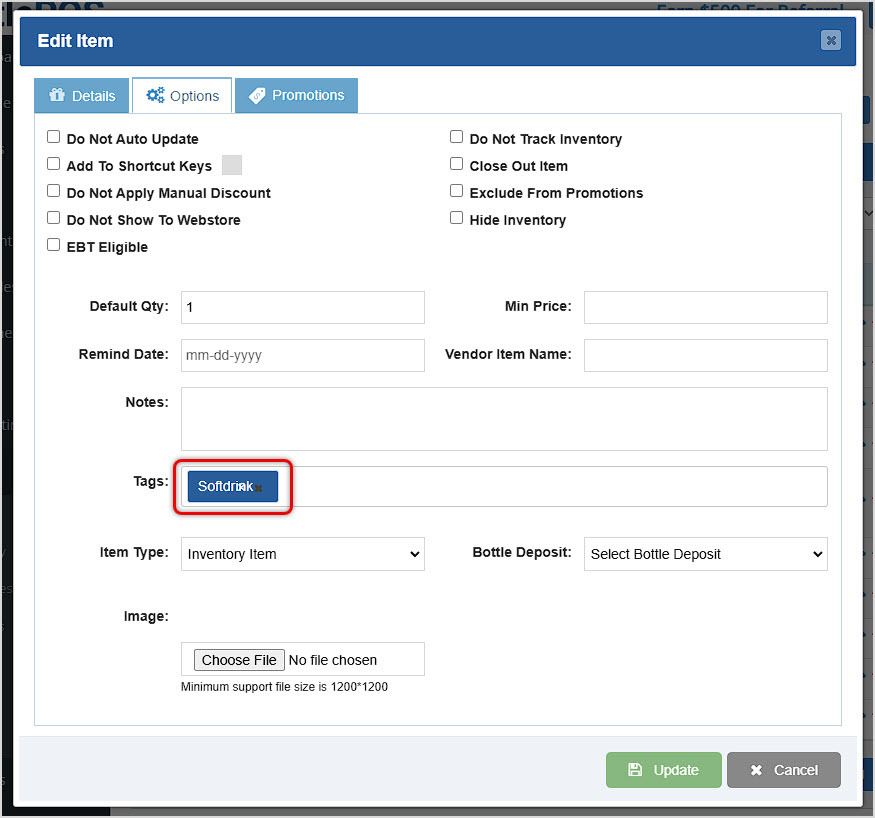
Enter the Tags you need, you can have as many as you like within an Item, then click Update to save your changes.
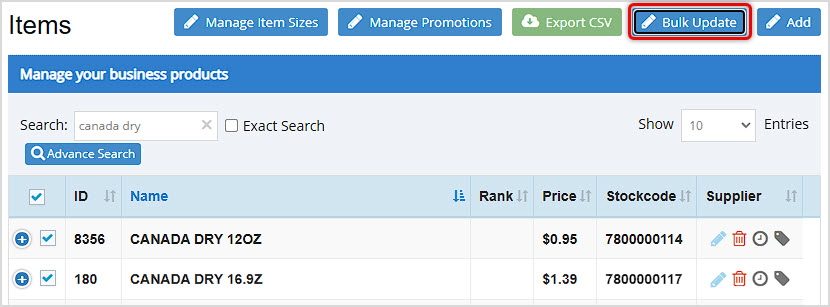
You can use the Bulk Updater to add Tags to your items, or to edit Tags that are already saved. To work with the Bulk Update tool, you should go to the Items menu and click to load the main Items page. Click the Bulk Update button in the upper right.
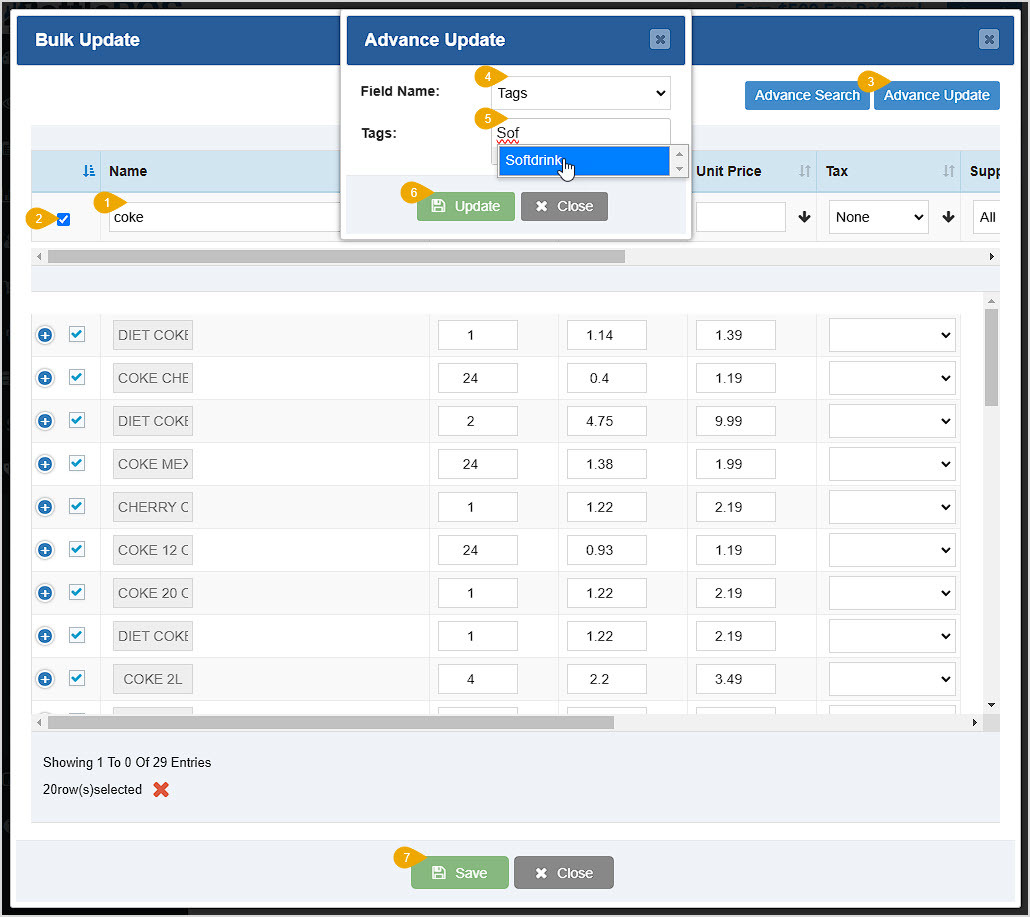
When the Bulk Update window loads, follow these steps to add new Tags or edit existing ones.
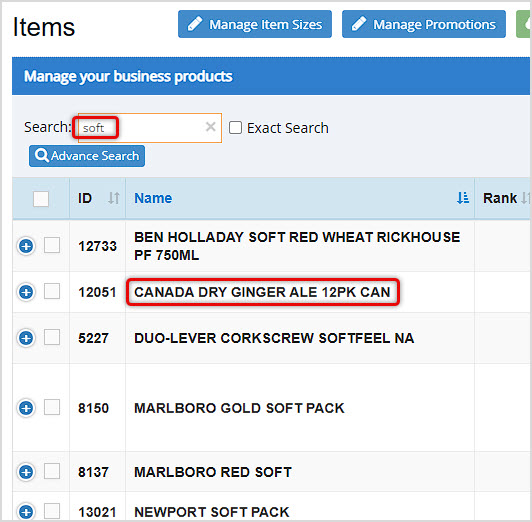
When searching for Items on the main Items page, you can use Tags to easily find items for which you have saved Tags. If you search by part of the Tag text, you'll get items that have that text in other areas, as in this example where we entered part of the Softdrink Tag. Our item is in the list, but other items we might not need also come up in the search:
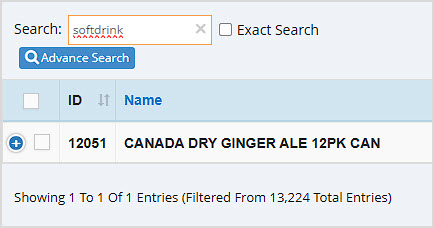
Making your Tags as unique as possible will help you minimize unwanted items in your searches. For example, searching the full Tag brings up only the item for which we saved the Tag:
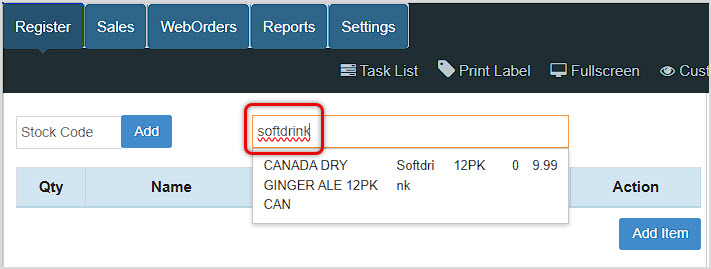
In the Register, we'll see the same results, so searching for a Tag will allow you to browse results for all items with the Tag:
Q: Can I use Tags to search for items in my Reports?
A: In the Modification Report in the Admin, you can see events where Tags were added or modified. Other reports, such as the Sales by Item view of the Sales report, are not searchable by Tags.
Q: I have a question, but I can't find my answer here. How do I get more assistance?
A: You can ask any question at the number below. Contact our 24/7 support team at: (877) 381-4087
Is this page helpful?
×Help us improve our articles