






Reprinting Transaction Receipts
Reprinting a Transaction Receipt You can reprint transaction receipts from the Bottle POS and Admin.

 October 01, 2024
It's not uncommon to need to ring up an item that has not yet been recorded in your Bottle POS database. Often it's a new item recently received but not added to stock.
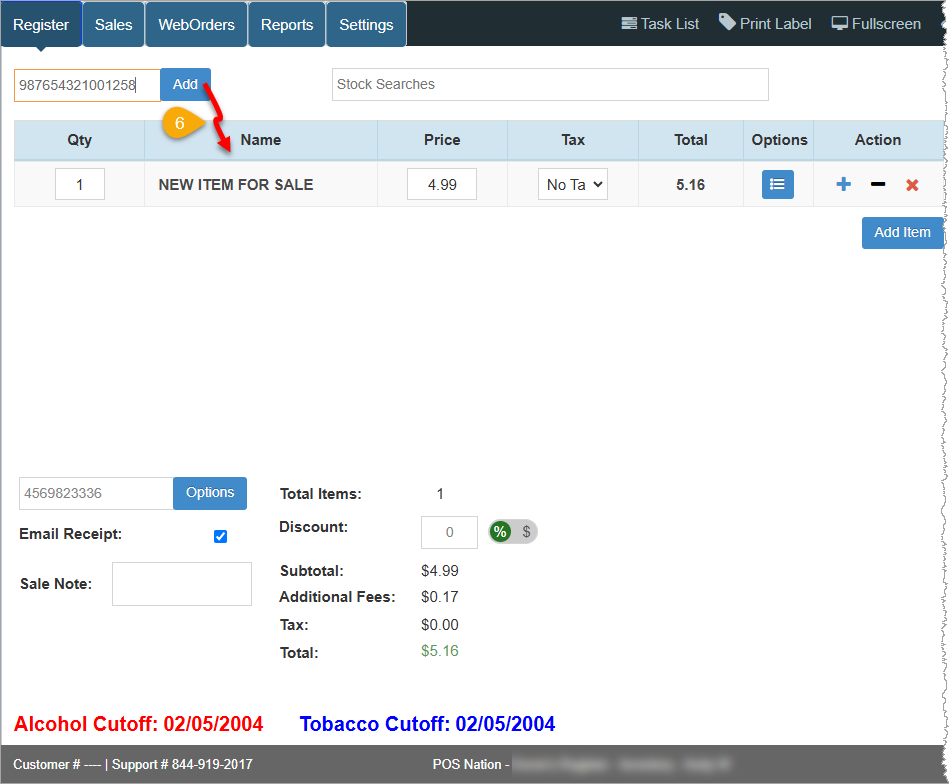
Use this article to learn how you can sell (and add to your admin database) an item from the Register during a point of sale transaction without accessing the Admin application.
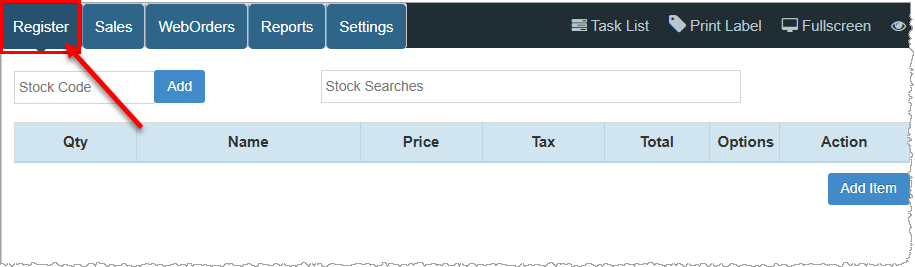
To access this feature, log into your Bottle POS app and click the Register tab.
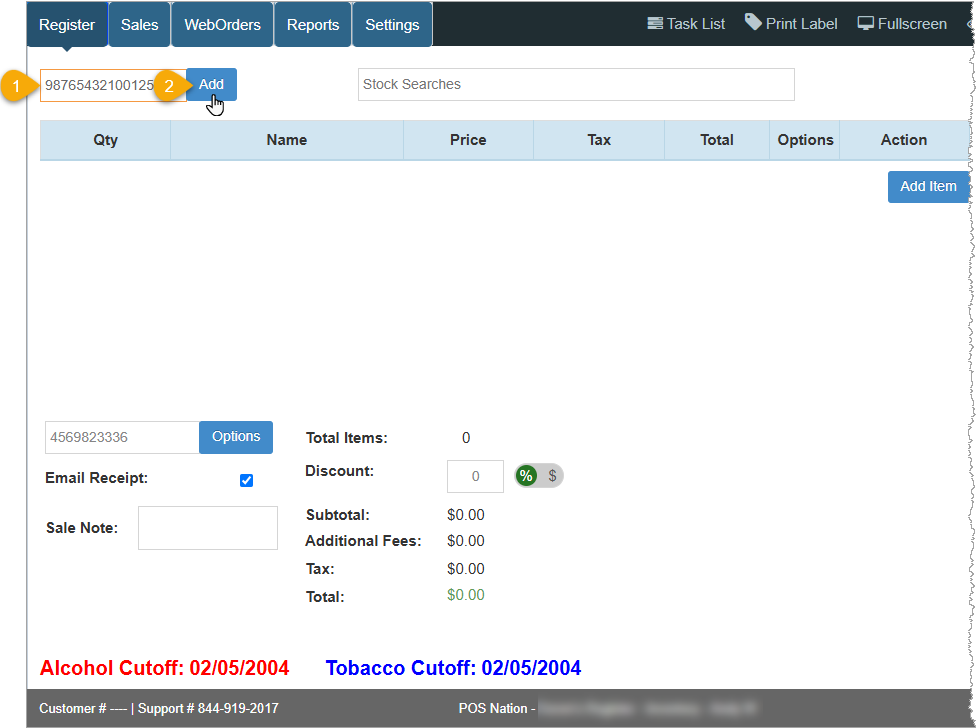
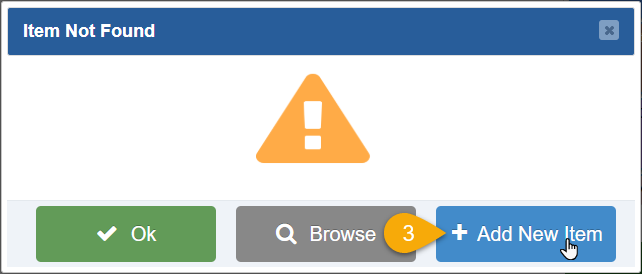
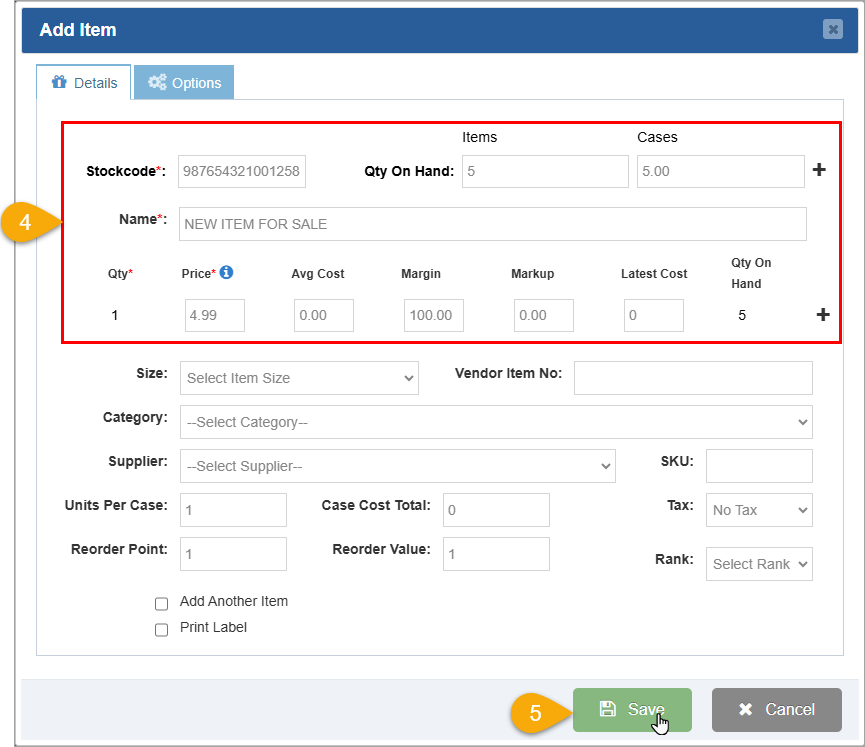
Follow these steps to create a new item in your store inventory from the Register:
Q: How many items can I add to the database?
A: There is no limit to the amount of items you can store in your Bottle POS.
Q: How do I add suppliers to the system?
A: Please review the following article for more information on how to add Suppliers: How to Manage Suppliers
Q: How do I add item categories to the Bottle POS Software?
A: Please review the following article for more information on how to add Categories: How to Manage Categories
Q: How do I add or modify Tax codes?
A: Please review the following article for more information on how to add Tax information: How to Set Up Sales Tax
Q: I have a question, but I can't find my answer here, how do I get more assistance?
A: You can ask any question at the number below. Contact our 24/7 support team at: (877) 381-4087
Is this page helpful?
×Help us improve our articles