






Managing Timesheet Entries
It's common for employees to forget to clock in or out and when that happens you need an easy option

 October 01, 2024
You can configure your Invoices for your customers using the Invoice Settings area of Bottle POS. Take a look at how easy it is!
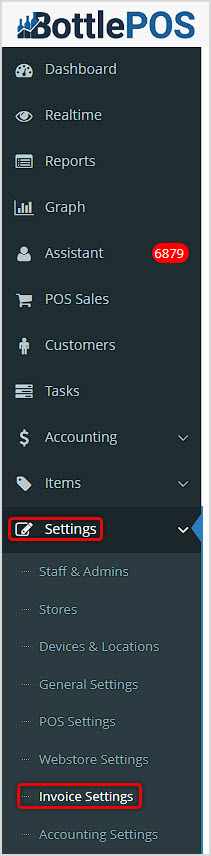
You can get to this part of the system by logging into your Admin app and clicking Settings on the left. In the menu that opens, click on Invoice Settings.
You will use Invoices to notify customers about amounts they owe the store and how they can pay for them. In this article we'll explore what is there for you. For all areas, remember to click the Save button at the bottom to finalize any changes you make.
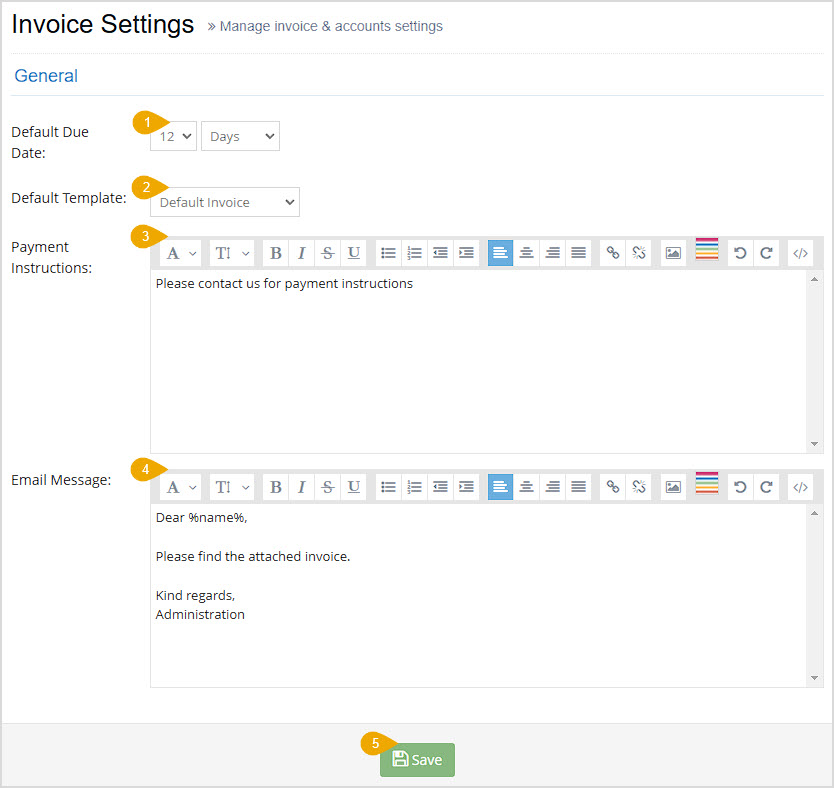
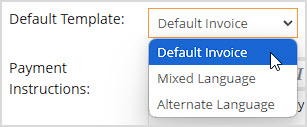
In this area you can configure the following settings:
How to Generate and Email an Invoice from a Sale
How to Set Up and Use a Customer House Account
Q: Does the system automatically send invoices or do I have to manually send them?
A: Not at this time. You will need to use the Email Invoice function described in the article linked above, How to Generate and Email an Invoice from a Sale.
Q: I have a question, but I can't find my answer here, how do I get more assistance?
A: You can ask any question at the number below. Contact our 24/7 support team at: (877) 381-4087
Is this page helpful?
×Help us improve our articles