






Guide to the POS Reports
The Reports in the Bottle POS Register App can show you details about current sales such as totals a

 October 01, 2024
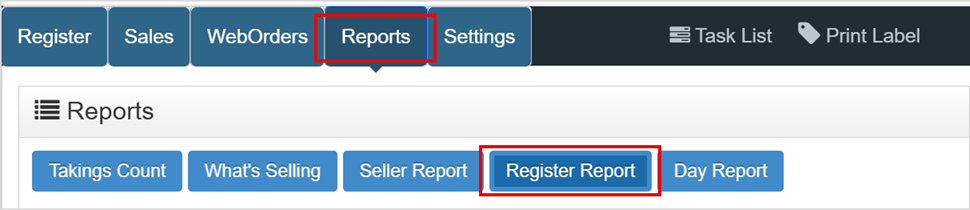
Click on the Reports tab and then click on the Register Report button. Also known as the Current Shift Report, the Register Report will display important sales information from your Register during the current shift. When closing the shift, this is the report that will print out.
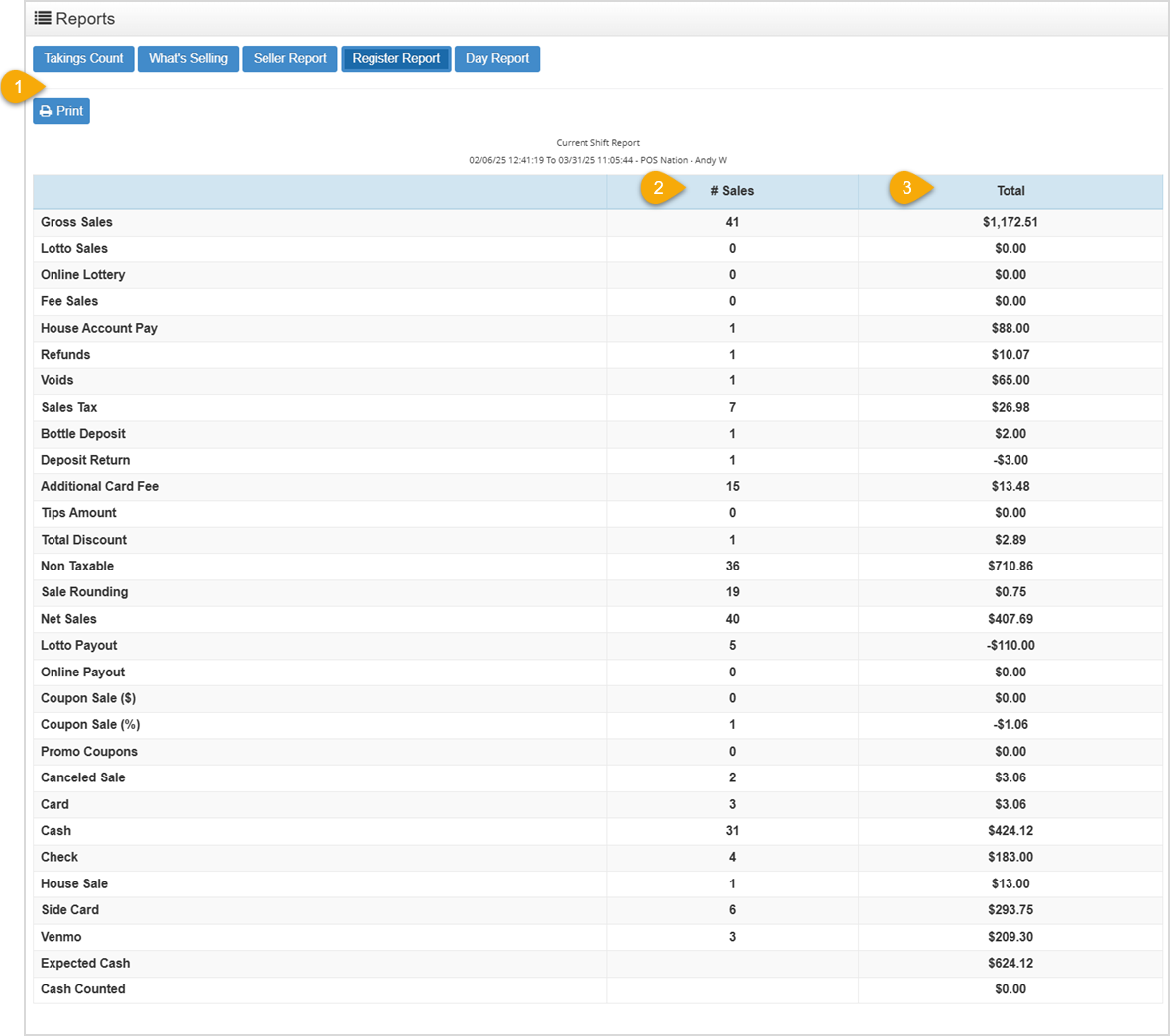
In the Register Report table below, you’ll see a summary of your sales, payouts, other charges, tenders, and drawer cash from your Register for the current shift.
Q: Why is my Register Report showing a higher number of sales than my day report for today?
A: if you don't close the shift at the end of the day, the Register report can contain data for multiple days.
Q: I have a question, but I can't find my answer here, how do I get more assistance?
A: You can ask any question at the number below. Contact our 24/7 support team at: (877) 381-4087
Is this page helpful?
×Help us improve our articles