






Reprinting Transaction Receipts
Reprinting a Transaction Receipt You can reprint transaction receipts from the Bottle POS and Admin.

 October 01, 2024
There are three ways to look up stock in the Bottle POS Register, take a look below to learn more!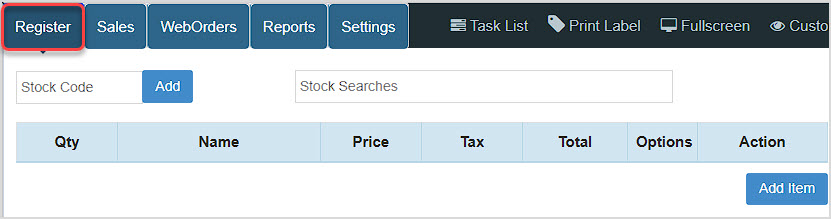
You can get to this part of the system by logging into your Register App, and the Register screen will be the first thing that loads for you.
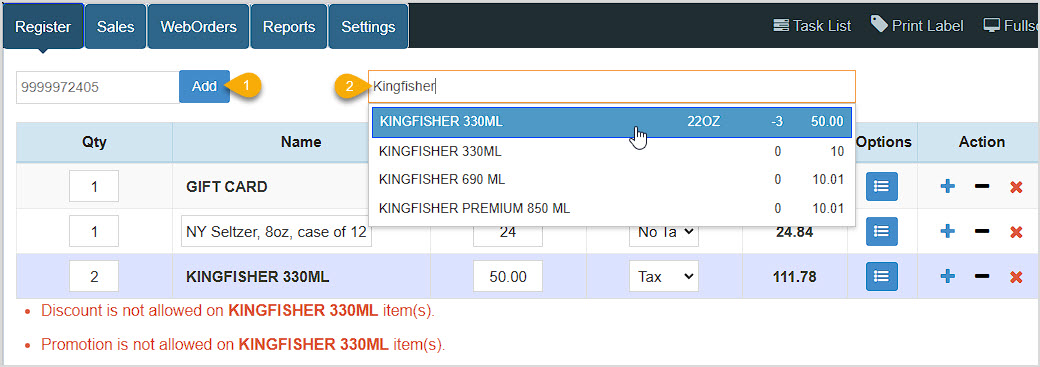
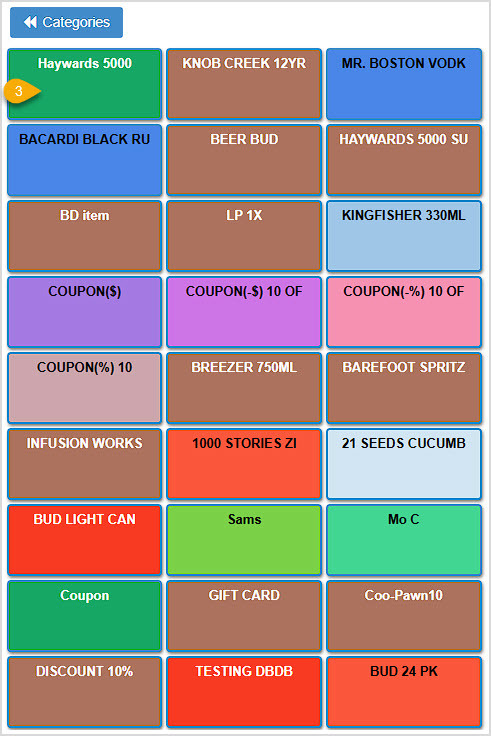
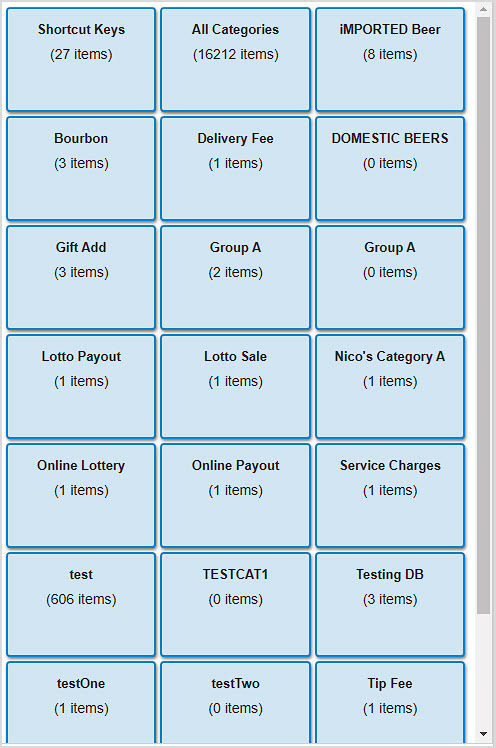
View of Categories:
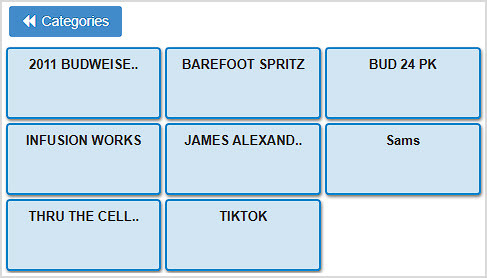
Click on a Category to load its items as Shortcut Keys:
How to Create Lottery and Hotkeys
Working With Customers in the Register
How to Apply a Manual Discount
Adding an Item From the Register
Q: What if my barcode or name search doesn't find a result?
A: You can click the Add button to do Manual Entry for the item. This won't load it into the database, but you can get it into the transaction, enter the name, price, and quantity, and complete the transaction. The article linked above on Adding an Item From the Register has full details.
Q: I have a question, but I can't find my answer here. How do I get more assistance?
A: You can ask any question at the number below. Contact our 24/7 support team at: (877) 381-4087
Is this page helpful?
×Help us improve our articles